This article focuses on internal email layout, formatting, hierarchy, and readability to increase engagement. It offers tactical guidance on structuring emails for clarity and performance. The problem it addresses is email effectiveness and employee attention. The solution remains rooted in optimizing email itself.
Written By:
Cerkl Research Team
Published:
January 17, 2026
Using Outlook or Gmail for your internal communication?
Foundations is free (forever) - purpose built for internal comms and includes everything you need to level up your game (email builder, analytics, pulse surveys and much more).
Thoughtful email design drives engagement and action. Effective internal email design ensures messages are read and understood while reducing overload, reinforcing trust, and supporting employee engagement.
Clear subject lines and preheaders set expectations. When employees quickly understand an email’s purpose and relevance, they are more likely to open and prioritize it.
Scannable structure improves readability. Well-organized sections help employees quickly identify what’s new, why it matters, and what actions to take.
Design best practices create consistency and impact. Using templates, balanced visuals, mobile-first layouts, content blocks, and clear calls to action keeps emails professional and engaging.
Avoiding common design mistakes strengthens trust. Eliminating text overload, inconsistent branding, cluttered visuals, and inaccessible layouts ensures internal emails remain polished and inclusive.
***
Internal email continues to be one of the most relied-upon channels for organizational communication in 2025. However, many organizations are still underperforming in terms of how well they engage and inform via email. Recent research shows that employees often feel disconnected and uninformed, even as companies rely on email for critical updates. Furthermore, there is evidence that design quality often determines whether a message is read or overlooked.
For example, Gallagher’s 2025 Employee Communications Report confirms that while email remains the most universal channel, many employees still feel disconnected from the messages they receive. According to the report, employee listening consistently ranked high as a supporting choice for the purpose of internal communications.
Taking this a step further, according to Gallagher’s State of the Sector 2024/25 Survey, on which the report is based, “email listening” has gained importance, with 31% of internal communicators ranking it in their top three listening strategies. However, email is also the most divisive listening method, with 29% saying it generated low-value feedback and only 25% maintaining it was valuable.
“A good email design flows naturally and feels intuitive, striking the perfect balance between delivering information and driving engagement. Adhering to email design guidelines ensures your email is visually appealing, functional, and user-friendly.” Omnisend
The fact is that internal email design isn’t just about aesthetics. A well-structured, readable format reduces overload, boosts comprehension, and strengthens trust. Done right, design ensures that essential information isn’t just delivered. Instead, it’s absorbed, understood, and acted upon.
Why Good Email Design Is Essential for Employee Engagement
Internal email is more than a vehicle for updates. It’s a direct line to employee engagement. The way a message looks and feels shapes whether it gets opened, read, and acted on. Poorly designed emails can frustrate employees, bury important details, and ultimately erode trust. On the other hand, a clean, structured design reduces friction, builds clarity, and demonstrates respect for employees’ time.
Design also influences how employees connect to the broader goals of the organization. Clear visual hierarchy, scannable sections, and purposeful formatting make it easier for people to understand what matters most and what actions are required. This reduces the risk of misalignment, ensures critical updates aren’t overlooked, and helps employees feel informed rather than overwhelmed.
When design is done well, internal emails don’t just transmit information. They reinforce confidence in leadership, provide a sense of consistency, and create a smoother flow of communication. In short, effective design transforms email from a passive information channel into an active driver of engagement and alignment.
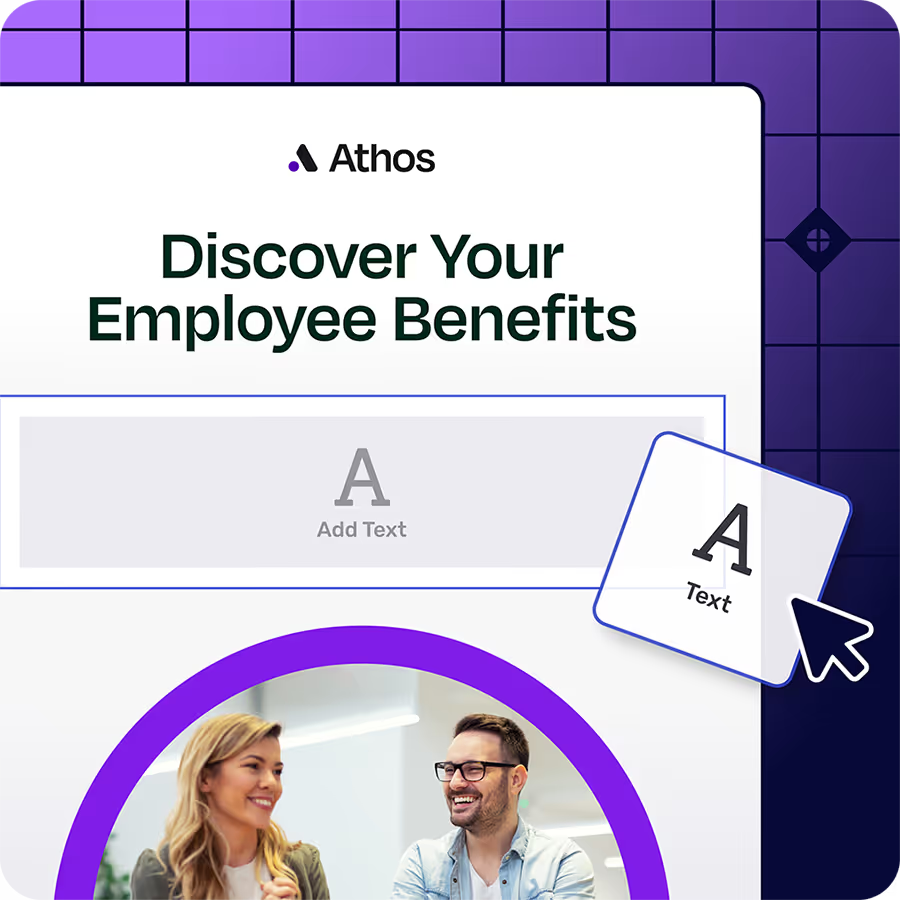
Foundations gives internal communicators a drag-n-drop email builder plus 10+ internal comms email templates. Say goodbye to fighting Outlook/Gmail formatting! Oh, Foundations is free (forever).
Drawing from established design resources and recent organizational research, several internal email best practices consistently help internal emails capture attention and connect with employees.
One of the most important is crafting clear subject lines paired with supportive preheaders. Subject lines should spell out the purpose of the message rather than using vague phrasing. For example, “Policy Update: Remote Work Guidelines” signals urgency and relevance in a way that a generic subject line never could. Preheaders should then build on this, adding context that nudges employees to open the message instead of skimming past it. Together, these two elements act as the gateway to the rest of the email.
The overall structure of the content is equally important. Busy employees are far more likely to engage with messages that are easy to scan and read quickly. Breaking information into well-defined sections with labels such as “What’s New,” “Why It Matters,” and “What You Need to Do” will allow employees to navigate quickly to the details they care about most. Bullet points and short paragraphs highlight critical actions, while generous use of white space prevents the email from feeling crowded.
The goal is to create a message that feels approachable at first glance and efficient to read, encouraging employees to absorb the content rather than tune it out. To avoid overload, emails should be concise and purposeful, each with a clear call to action. Proofreading, along with using an AI Detector to ensure clarity and authenticity, helps maintain accuracy, and sending from a recognizable address reassures employees that the message is authentic. These practices align with the internal email best practices Cerkl promotes.
Let’s look at six of our top six best practices in more detail.
#1 Use Templates to Ensure Consistency
Branded templates maintain a professional look and save time for communicators. By keeping fonts, colors, and logos consistent with your company’s brand, templates reinforce internal identity and create instant recognition. If your team is looking for the best graphic design tools for beginners, check out this guide to discover easy-to-use tools for creating professional email templates and branded assets. When employees can immediately identify an email as an official communication, trust increases and engagement improves.
#2 Balance Text and Visual Assets
Dense blocks of copy discourage reading. Breaking up text with images, icons, or infographics improves comprehension and makes emails visually engaging. Visuals should highlight key points rather than clutter the message, and accessibility matters.
Remember to always include alt text for images and choose high-contrast colors so all employees can easily interact with the content.
#3 Incorporate Emojis and Micro-Visuals Wisely
Emojis can add warmth and a lovely human touch. They can also make subject lines stand out, but overuse risks undermining professionalism. Use them sparingly in subject lines or section headers to draw attention to celebrations, deadlines, or urgent updates. When applied with intention, they add personality without distracting from the message’s purpose.
#4 Design with Content Blocks
Content blocks help employees scan quickly by grouping related items together, such as HR updates, events, or compliance reminders. Modular layouts also provide flexibility, making it simple to rearrange or adjust information as priorities shift. Drag-and-drop editors make this approach accessible even for communicators without design expertise.
#5 Optimize for Mobile-First Reading
With many employees checking emails on their phones, responsive design is critical. Short subject lines, concise body text, and layouts that adapt seamlessly to smaller screens ensure key points aren’t lost. Testing across devices helps confirm that emails display correctly and remain readable no matter where they’re opened.
#6 Use Clear CTAs and Visual Hierarchy
Strong calls to action (CTAs) guide employees toward the next step, whether that’s registering for an event, reading a policy, or completing a survey. Buttons, bold headlines, and contrasting colors draw the eye, while placing CTAs above the fold ensures they aren’t missed. A clear visual hierarchy reduces confusion and increases the likelihood of action.
Common Mistakes in Internal Email Design
Even with the best intentions, internal emails can fall flat if the design undermines the message. Common errors often make communications harder to read, less trustworthy, or inaccessible to part of the audience. By recognizing and avoiding these pitfalls, communicators can ensure that every message is as effective as possible.
Overloading with Text-Heavy Content
Employees don’t have time to sift through dense paragraphs or long explanations. Packing too much information into one message makes it difficult to identify what’s important, and readers are more likely to skim past critical details. Keeping messages concise and focused ensures they’re digestible and actionable.
Using Inconsistent Branding or Untested Layouts
When fonts, colors, or logos vary from one message to the next, emails lose credibility and can feel less professional. Similarly, layouts that haven’t been tested across devices can break formatting and frustrate readers. Consistent branding and proven layouts signal trustworthiness and help employees quickly recognize official communications.
Overuse of Stock Imagery or Emojis
While visuals and emojis can enhance communication, too many can make emails look cluttered or unprofessional. Over-reliance on generic stock photos very quickly reduces authenticity, while excessive emojis may distract from the main message. The best approach is to use visuals and emojis sparingly and purposefully.
Ignoring Accessibility and Mobile Responsiveness
Not all employees read email in the same way or on the same devices. Failing to provide alt text for images, using low-contrast colors, or designing only for desktop screens excludes part of the audience. Mobile-friendly, accessible design ensures every employee can engage with the content, whether they’re in the office, at home, or on the move.
How Cerkl Broadcast Helps You Design Impactful Emails
Cerkl Broadcast makes it simple for communicators to design internal emails that employees actually want to read.
With our drag-and-drop email builder, anyone can create professional, branded emails without writing a single line of code.
Built-in content blocks and templates will save you time while keeping fonts, colors, and layouts consistent across every message. This, in turn, ensures brand integrity and consistency and enables personalization at scale.
Adding visual assets and emojis is effortless, helping highlight key messages and increase engagement without sacrificing professionalism.
Every design is also mobile-responsive, so emails adapt automatically to any device, whether employees are opening them at their desks, on a tablet, or on their phones.
The result is that even non-technical communicators can quickly build emails that look great, align with brand standards, and capture employee attention. Broadcast takes the complexity out of design so you can focus on what matters most: delivering messages that connect.
What’s Next?
So, where to from here? Are you keen to try the features our proven Cerkl Broadcast platform offers? You can dive right in - we’re here to help and advise you. Or you can try it out for free.
We have introduced a free Email Foundations Subscription Tier just for people like you. It’s a self-serve offer that will enable you to deliver 5,000 emails to your employees every month - and all the features we’ve highlighted above are supported. You’ll be able to include three team members, with an optional fee of just $75 per month for each additional seat.
If you're frustrated with Outlook or Gmail for your employee emails, we understand.
That's why we built Foundations. Purpose-built for internal email with all the features you wish you had - drag-and-drop email builder, analytics, employee segmentation and much more. All for free (forever). No credit card, no contracts, no setup fees.
The best layout is simple, scannable, and mobile-friendly, using short paragraphs, clear headings, and logical content blocks. This structure helps employees quickly find what matters most without feeling overwhelmed.
Should I use emojis in internal emails?
Emojis can add personality and draw attention, especially in subject lines or headers. However, they should be used sparingly to maintain professionalism and avoid distracting from the main message.
Do I need an email design tool to make professional internal emails?
While email design tools make it easier to create polished, branded layouts, they aren’t strictly required. By following best practices such as consistent templates, clear hierarchy, and responsive formatting, you can still produce professional-looking internal emails.
Did you enjoy this content? Please share it with your internal comms friends and colleagues. Just click on any of the links below.







.webp)




.avif)

