<script type="application/ld+json">
{ "@context": "https://schema.org", "@type": "FAQPage", "mainEntity": [ { "@type": "Question", "name": "How do I know if my internal email open rate is good?", "acceptedAnswer": { "@type": "Answer", "text": "Compare it to your own baseline for the same audience and the same type of send, using unique opens divided by delivered. A rate above that baseline is good. A rate below it is a reason to check the subject line and whether the audience list changed." } }, { "@type": "Question", "name": "Is there an independent benchmark for internal email open rates?", "acceptedAnswer": { "@type": "Answer", "text": "Not that we could find as of November 2026, after checking consultancy and association surveys and academic work. The benchmarks we found come from companies that sell internal comms software, drawn from their own customers. Cerkl sells this software too, and this page uses none of its data." } }, { "@type": "Question", "name": "Does an open mean an employee read the email?", "acceptedAnswer": { "@type": "Answer", "text": "No, an open means a tracking pixel loaded. Apple Mail can load it on receipt when Protect Mail Activity is on, and scanners and preview panes can register an open with no reader. Classic Outlook blocks automatic picture downloads by default, so someone can also read a message without an open registering." } }, { "@type": "Question", "name": "How often should you check open rates?", "acceptedAnswer": { "@type": "Answer", "text": "Look at each important send once the numbers have settled, and avoid sharing same-day figures with leadership, since reporting data can lag. Review the trend for each send type on a regular cycle, such as monthly, since you'll learn more from the trend than from any single send." } }, { "@type": "Question", "name": "Can you see open rates by employee on a free plan?", "acceptedAnswer": { "@type": "Answer", "text": "Yes. Blast Insights reports per-recipient opens and clicks on all Cerkl Broadcast plans, including Foundations. Privacy settings affect reporting, because blast metrics follow each subscriber's privacy level at the time of the send." } } ]
}
</script>
Internal Email Open Rates: What They Can and Can't Tell You
Internal Email Open Rates: What They Can and Can't Tell You
Internal email open rates are hard to benchmark. See why published numbers disagree, what an open can't tell you, and what to compare your rate against.
Written By:
Cerkl Research Team
Published:
November 24, 2026
Using Outlook or Gmail for your internal communication?
Foundations is free (forever) - purpose built for internal comms and includes everything you need to level up your game (email builder, analytics, pulse surveys and much more).
We couldn't find an independent benchmark for internal email open rates. The published numbers we found come from software vendors' own customers, so the useful comparison is your own baseline for the same kind of send. An open shows that a tracking pixel loaded, which doesn't prove anyone read the message.
What is a good internal email open rate?
A good internal email open rate is one that beats your own baseline for the same kind of send. That answer disappoints anyone who came here for a number to show their boss, and we did go looking for one. As of November 2026, a search of consultancy and association surveys and academic work turned up no independent benchmark, though that only tells you what we could find. The internal open-rate benchmarks we did find come from companies that sell internal comms software, drawn from their own customers. Cerkl sells this software too, so the same skepticism applies to us, and this page uses none of our data.
Vendor samples hold only that vendor's customers, already invested in a dedicated tool and counted by that tool's rules. If you send from a shared Outlook mailbox to a workforce spread across offices and plant floors, holding your rate against that sample tells you little about whether your last message did its job.
A baseline takes less effort than the hunt for a benchmark. Pick one audience and one send type, then record unique opens divided by delivered for each send alongside the rest of your internal email analytics. A spreadsheet will do. Cerkl Broadcast's email analytics show key metrics next to your organization's own 18-month average and report down to the individual blast and recipient. Once the baseline exists, a drop becomes a specific question, such as why the manager update slid across its last three sends while everything else held steady.
What is the average open rate for an internal newsletter?
We couldn't find an independent average for internal newsletter open rates or employee newsletter open rates either. The numbers we found come from vendors reporting on their own customers, so they carry the same problem.
Your own data can do better if you split it first. A recurring newsletter is something employees learn to rely on or learn to ignore, while a benefits enrollment deadline lands once with its reason attached. Blend them and the figure hides both, so a well-opened policy notice can cover for a newsletter that has been slipping for months.
Treat the newsletter's own trend as the number that matters, issue to issue, and check that you're comparing the same audience. If an acquisition added a division to the list in March, any later change may come from the list. Use the trend to decide when to look, and start with employee newsletter best practices once it moves.
Do internal email open rates vary by industry?
Sector figures independent of vendors didn't turn up in our search, and a table built on vendor customers would look more authoritative than it deserves, so this page doesn't publish one.
Your own data can show where rates differ inside your organization. Segment by audience size, role, deskless share and email client mix. We have no independent evidence for which way any of them will go. Start with email client mix, since the client affects how an open gets counted.
Why do open rate benchmarks disagree?
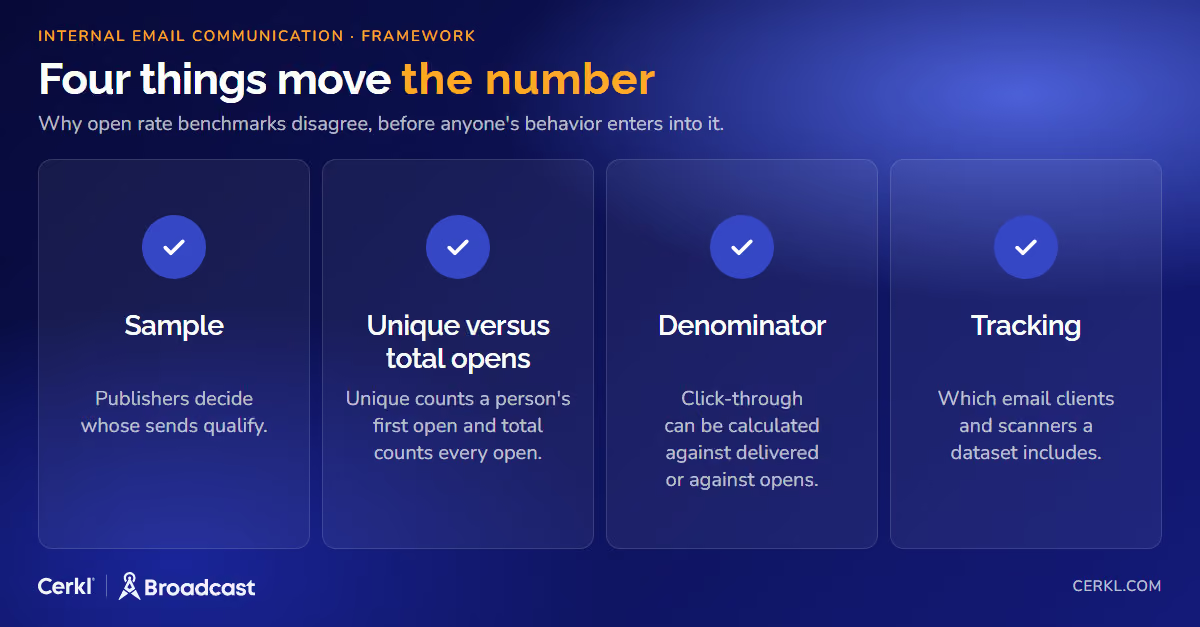
Four things move the number before anyone's behavior enters into it, and the first is the sample. Publishers decide whose sends qualify, and the internal benchmarks we found count only the publisher's own customers. Marketing-email benchmarks sample a different kind of mail altogether, so no marketing figure appears on this page.
Four things move internal email open rates: sample, unique versus total opens, denominator and tracking.
Unique versus total opens come next. Unique counts a person's first open and total counts every open, so one employee rereading the parking update three times is one unique open and three total opens. Use unique for rates and total for raw volume.
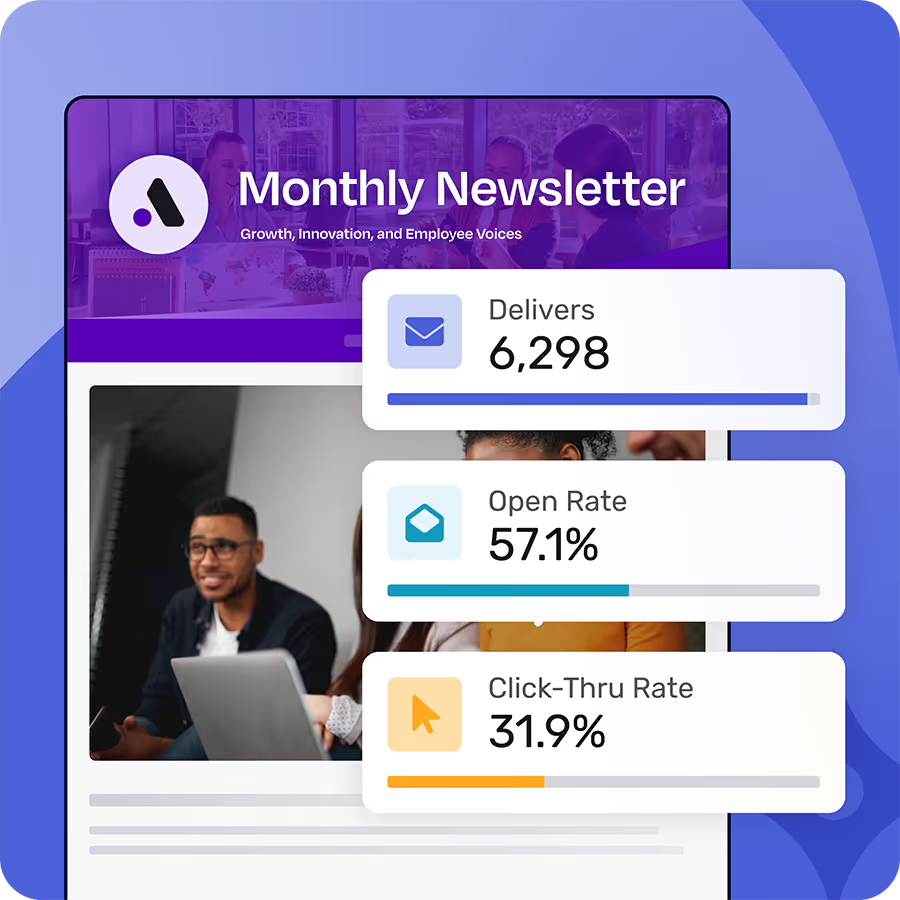
The denominator changes the answer too. In Cerkl Broadcast, Open Rate is Unique Opens ÷ Delivered and Click-Thru Rate is Unique Clicks ÷ Delivered. Click-through can also be calculated against opens, which Broadcast reports as Clicks per Unique Open, and the same send can land on two different numbers under those formulas. State the definition whenever you compare two numbers.
Tracking comes last, meaning which email clients and scanners a dataset includes. Apple Mail with Protect Mail Activity on can load the tracking image on receipt and classic Outlook blocks it by default, so two datasets with different client mixes can report different rates for the same behavior.
Internal emails shouldn't be a black box.
Foundations shows who opened, clicked, and engaged with your employee communications so you know what’s actually working. All for free - forever.
Opens can overcount. Apple's Mail User Guide for Mac says that with Protect Mail Activity selected, remote content is "privately downloaded in the background when you receive a message (instead of when you view it)," so for Apple Mail users who chose that option, the image load no longer marks a person viewing anything. Security tools reach internal mail too. Microsoft's Safe Links overview says Defender for Office 365 can scan messages between internal senders and recipients, and it recommends leaving that on. That confirms the scanning, and the effect on tracking comes from Mixmax's help center, published by a company that sells sales-email software, which says security and compliance tools can load images and that a preview pane that loads images can count as an open.
Opens can also undercount. Microsoft's picture-download page says classic Outlook blocks automatic picture downloads by default, so someone who never downloads pictures can read every word without registering an open. In a classic Outlook shop, your "non-opener" might be the person who read the policy update most carefully.
Opening a message is also a long way from absorbing it. University of Minnesota researchers ran a field experiment on a weekly all-staff newsletter at a public university with 25,000+ employees, where an issue held about 30 messages. In a baseline issue, the 117 employees measured recalled seeing about 30% of the messages. That's self-reported recognition at one organization, from a 2022 paper, so treat it as a caution about equating an opened newsletter with a message received and leave it out of any benchmark comparison.
Blended percentages also hide who didn't open. An average can look healthy while an entire warehouse shift misses the safety notice, and you won't see that in the number.
Open rates remain useful for trends within your own sends, where a sudden move on a stable audience deserves a question. The trouble starts when activity counts are the whole report, and for many teams they are. In Gallagher's Employee Communications Report 2026, 70% of the 474 communicators who answered the question said they track basic outputs like opens and clicks, while 16% measure outcomes.
Clicks and acknowledgments are stronger signals. Cerkl's own product guidance is to prioritize clicks over opens, though clicks can be noisy too, and Badsender, an email agency, warns of false clicks as well as false opens generated by robots. An acknowledgment in Cerkl Broadcast needs a named employee to confirm a specific message, and Broadcast records each one with a timestamp even at the strictest privacy level. For a message that has to land, work through how to confirm employees received internal comms.
How do you improve internal email open rates?
Keep the goal modest, because a higher open rate is only worth chasing if it means more of the right people saw the message. Start with internal newsletter subject lines, since that's the line people see before they decide to open. The university study supports putting the important message up front, having found that messages important to the organization only got higher recognition when placed in subject lines or top news. If the critical item sits fifth in a roundup, move it.
Next, check when you send, using the best time to send an internal newsletter as a starting point and then testing against your own audience's shifts. Send from a name people recognize, because "HR Communications" gives an employee less reason to stop than a person they know. Send to the audience a message applies to, since an irrelevant email teaches people to skip the next one.
Retarget non-openers on the sends that matter, keeping in mind that some of them may have read it with images blocked. A short second send costs little on a deadline message and would be overkill on a weekly roundup.
You can test all of this for free. Cerkl Broadcast Foundations, the free-forever plan, includes Blasts, Audience Manager, Insights and acknowledgments. Pick one send type this week, pull its recent sends, write down the baseline, and change one thing on the next send. You'll learn more from that than from any percentage on a vendor's chart, ours included.
If you're frustrated with Outlook or Gmail for your employee emails, we understand.
That's why we built Foundations. Purpose-built for internal email with all the features you wish you had - drag-and-drop email builder, analytics, employee segmentation and much more. All for free (forever). No credit card, no contracts, no setup fees.
How do I know if my internal email open rate is good?
Compare it to your own baseline for the same audience and the same type of send, using unique opens divided by delivered. A rate above that baseline is good. A rate below it is a reason to check the subject line and whether the audience list changed.
Is there an independent benchmark for internal email open rates?
Not that we could find as of November 2026, after checking consultancy and association surveys and academic work. The benchmarks we found come from companies that sell internal comms software, drawn from their own customers. Cerkl sells this software too, and this page uses none of its data.
Does an open mean an employee read the email?
No, an open means a tracking pixel loaded. Apple Mail can load it on receipt when Protect Mail Activity is on, and scanners and preview panes can register an open with no reader. Classic Outlook blocks automatic picture downloads by default, so someone can also read a message without an open registering.
How often should you check open rates?
Look at each important send once the numbers have settled, and avoid sharing same-day figures with leadership, since reporting data can lag. Review the trend for each send type on a regular cycle, such as monthly, since you'll learn more from the trend than from any single send.
Can you see open rates by employee on a free plan?
Yes. Blast Insights reports per-recipient opens and clicks on all Cerkl Broadcast plans, including Foundations. Privacy settings affect reporting, because blast metrics follow each subscriber's privacy level at the time of the send.
Did you enjoy this content? Please share it with your internal comms friends and colleagues. Just click on any of the links below.