Omni-Channel Internal Communications: How to Choose Channels
Omni-channel internal communications, explained: how it differs from multichannel, which channels fit each audience, and how to see who read each message.



Omni-channel internal communications, explained: how it differs from multichannel, which channels fit each audience, and how to see who read each message.
Omni-channel internal communications means one message, targeted once, reaching each employee in the channel they already use, with one record of who read it no matter which channel carried it. Sending the same announcement to five channels doesn't make it five times as likely to land. You only know a message landed when you can see, employee by employee, that it was read.
Most comms teams didn't set out to run five channels. They added Teams when the company moved to Microsoft 365, a Slack workspace arrived with an acquisition, the intranet got a refresh, and somebody asked for texts to the warehouse. Each addition made sense on its own, and together they produced more sends than anyone planned. Employees notice. In Gallagher's latest internal communications survey of more than 1,300 respondents across 40 countries, 83% said information overload is a growing problem, and the report ties the rising volume of messages to a 30% rise in leader trust risk and a 24% rise in burnout risk.
The fix for channel sprawl is a decision about which channel does which job for which group, followed by the coordination that makes one message behave like one message. If you want the inventory first, the full list of internal communication channels sits in its own guide.
Omni-channel internal communications is a way of running every employee channel from one plan, with one audience definition and one record of who received and read each message. Every channel gets a format that suits it, drawn from the same content source. The channels stay separate in the employee's day, and the coordination happens behind them.
Say open enrollment closes on Friday and every employee has to pick a plan. Your office staff live in Outlook and Teams. Your sales team barely opens email and works out of Slack all day. The warehouse night shift has no corporate inbox at all, and the only screens they check are their own phones. One message has to reach all three groups, in three different places, before the same deadline. Anyone who has tried to engage a distributed workforce knows this pattern, and it repeats for every safety notice and policy change you send.
An omni-channel approach handles it in four moves. You define the audience once ("all benefits-eligible employees"), pulled from HR data, so the same people are in scope everywhere. Each channel gets the version it needs, from the full email to a short Teams card or a one-line mobile push with a link back. You keep one read record across all of them. And when Wednesday comes, you follow up only with the employees who haven't read it, so nobody who enrolled on Monday gets a second blast.
That's a practitioner's definition, and it's narrower than the way the term gets used in employee-experience circles. The employee-experience case for an omnichannel approach makes the argument for a connected channel experience. This post covers the operating decisions underneath it, from matching channels to audiences to proving a message landed.
Multichannel communication means the same post goes to many places, each with its own distribution list and its own stats. The email gets an open rate and the Teams post gets reactions, but nobody can tell you whether the forklift operator on second shift saw any of them. Most organizations are multichannel today without having chosen to be, because each channel was added by a different team for a different reason.
Omnichannel communication treats the channels as one system. The difference shows up in five places.
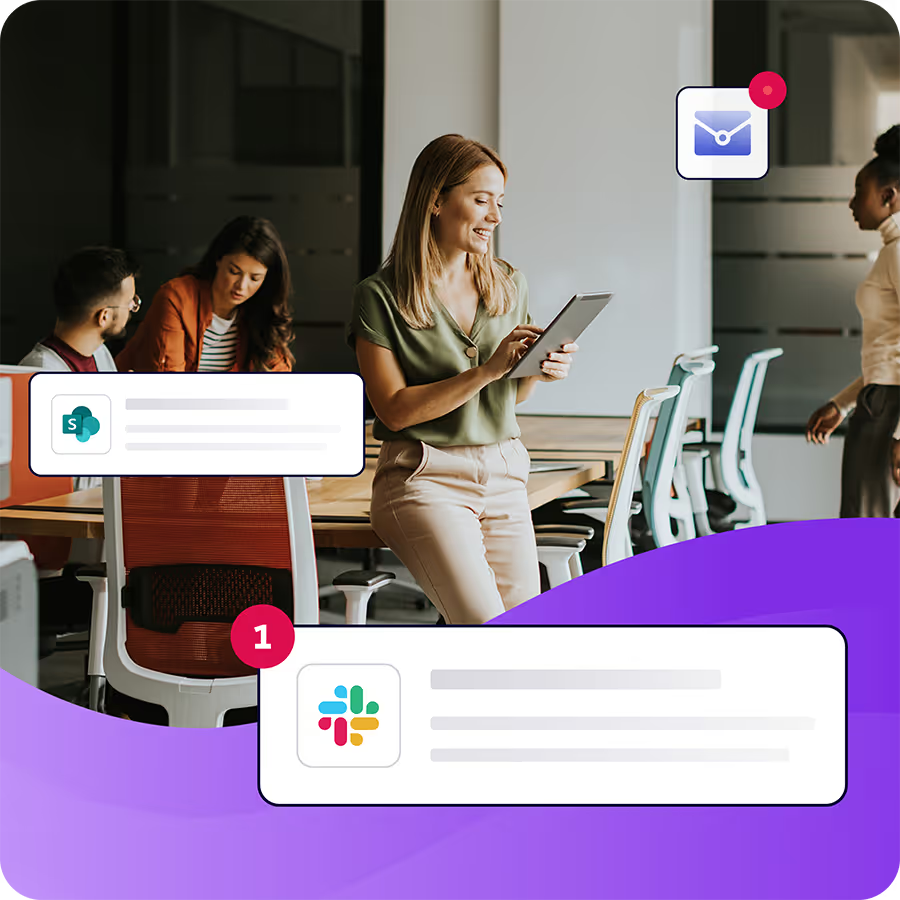
Broadcast Omni AI helps large organizations deliver personalized communication across email, mobile, Teams, intranet, and more. Content orchestration at scale.
Learn more about Omni AIStart from where each group already spends its working day. A channel employees never open works as an archive at best, however much IT invested in rolling it out. The goal is the smallest set of channels that reaches every group in a place they check every day.
Desk workers are the easy case, and the place teams over-invest. Email remains the channel of record for anything an employee may need to find later, and Teams or Slack carries the reminder and the conversation around it. Pick the one your company already lives in, and don't run both for the same group unless both are in daily use. If Teams is your default, it helps to know where native Teams falls short for internal comms before you lean on it for announcements.
Leaders and managers need the message before their teams do, plus a reason to act on it. Email works for the content, and a calendar hold works for anything they have to cascade in a team meeting, because a hold on Tuesday at 9:00 is harder to ignore than a line asking managers to "please share with your teams."
Field and frontline workers are where most channel plans break, and the cost of missing them is measurable. In Gallup's State of the Global Workplace report, 17% of on-site employees whose jobs can't be done remotely are engaged, against 30% of exclusively remote employees. And in a 2022 Microsoft Work Trend Index survey of frontline workers, 63% said messages from leadership don't make it to them. Reaching frontline employees in the channels they already have takes a mix. A mobile app with push notifications reaches employees on their own phones, including those who sign in without a corporate email address. Beyond the app, many teams run SMS for urgent alerts through a separate texting tool, use personal email where employees have opted in, put Teams on shared devices at the site, and keep the manager huddle at the start of a shift, which no software replaces.

Everyone needs a reference home, the place the full policy or the benefits detail lives after the alert has scrolled away. For most organizations that's the intranet. Treat it as the place messages point to after the alert goes out. If you run SharePoint as an internal comms channel, you already have that home, and you can keep the intranet and add a delivery layer on top of it.
The audience decides where a message can reach someone. The message type decides how hard you push. Urgent messages, like a safety notice or a site outage, go out by push and by the channel each group checks most often, with a follow-up to anyone who hasn't read it within the hour. Reference messages, like a policy change or the details of a new benefit, live on an intranet page, with the email and the Teams post both pointing back to it so there's one version to update. Culture messages, like recognition or a leadership update, belong in a newsletter or digest plus a Teams or Slack post, and they rarely need a follow-up at all. Mixing these up is how push notifications get muted. Send a lunch-and-learn reminder as an urgent alert twice, and employees stop trusting the alert.
Consistency starts with one source of truth. Write and approve the message once, then generate each channel's version from that source. The moment someone pastes the email into Teams and edits it by hand, you have two messages, and the next correction will reach only one of them. Omni-channel publishing in Cerkl Broadcast follows that model. A communicator authors a story once in the Content Hub, and Broadcast routes the formatted version to each channel with the same targeting.
Format still differs by channel, and it should. A Teams card is shorter than the email, carrying the headline and a link. A push notification is one line and a tap. In Broadcast, the Teams Newsfeed shows priority content inside the Teams client, and a SharePoint launchpad gives each employee their own queue of priority items on intranet pages. Priority stories clear from the Teams Newsfeed, the mobile app, the intranet launchpad and the News Digest once an employee opens one anywhere, so nobody reads the same notice three times. Slack posts go out on a schedule as cards in the public channels people already use.
Keeping messaging consistent across channels also takes one owner and one approval path per message. If the benefits team approves the email and someone in HR rewrites the Slack version, the two copies drift, and employees notice which one has the right date.
Use the same audience segments everywhere, defined once from HR data. "Night shift, Site 4" should mean the same people in every channel. If the Teams group was built by hand last spring and the email list comes from the HRIS, the two lists will disagree, and you won't find out until someone on the night shift says they never heard.
Set timing rules so channels don't stack on the same person in the same hour. Send the email first and the Teams or Slack reminder an hour later. Save the push for the groups that need it. Given how many practitioners already describe overload as a growing problem, staggering is the cheapest consistency fix you have.
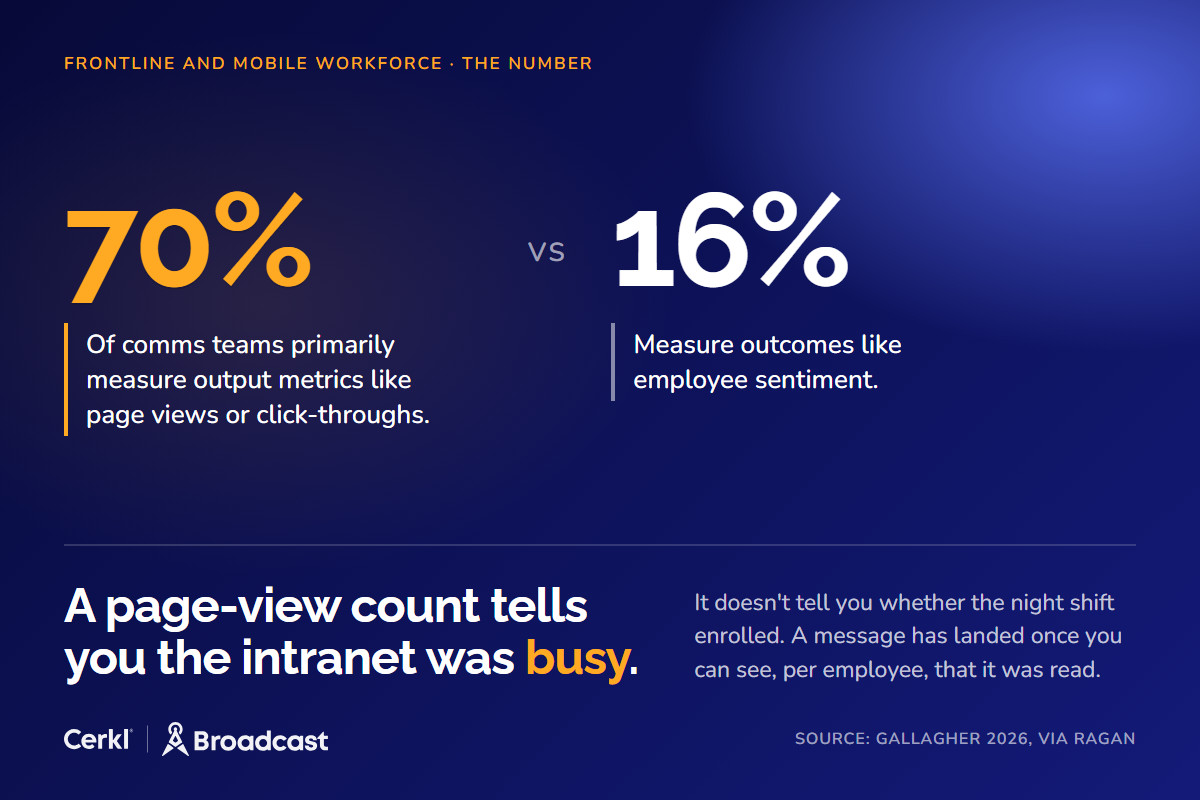
A message has landed once you can see, per employee, that it was read in whichever channel carried it. Most teams aren't there yet. Gallagher's 2026 report, as covered by Ragan, found that 70% of comms teams primarily measure output metrics like page views or click-throughs, and only 16% measure outcomes like employee sentiment. A page-view count tells you the intranet was busy. It doesn't tell you whether the night shift enrolled.
In Broadcast, every plan includes per-subscriber email data on delivers, opens and clicks, plus acknowledgments that put a timestamped confirmation against each name. On Omni AI, Broadcast Insights adds per-channel dashboards for the mobile app, the intranet, Teams and the News Digest, along with a per-subscriber view of content activity. That record lets you retarget only the employees who missed a message.
Cross-channel measurement is still a young discipline, and there's a reason no public benchmark measures reads across channels. If you need to show leadership that a specific message reached specific people, the practical method is in our guide on how to prove employees read internal comms.
You don't need to switch everything on at once. Most teams get further by adding coordination before adding channels.

If email is the channel you're fixing first, Cerkl Broadcast Foundations is free and includes audience segmentation, email analytics, acknowledgments, and retargeting. Once you're ready to add mobile, Teams, Slack, SharePoint, and cross-channel analytics, those come with Omni AI, and the audiences and history you built carry over. Start with the audit this week, because the group your current channels miss is the one your next urgent message needs to reach.
That's why we built Foundations. Purpose-built for internal email with all the features you wish you had - drag-and-drop email builder, analytics, employee segmentation and much more. All for free (forever). No credit card, no contracts, no setup fees.
Learn more about FoundationsWhat is omni-channel internal communications?
Omni-channel internal communications is a way of running every employee channel from one plan. You define the audience once, write the message once, give each channel the format it needs, and keep one record of who read the message across all channels, so you can follow up only with the employees who missed it.
What is the difference between omnichannel and multichannel communication?
Multichannel communication sends the same content to many channels, each with its own list and its own stats, so nobody can say who saw the message. Omnichannel communication coordinates those channels with one audience definition, one content source, a format per channel, and one read record per employee. What separates them is coordination and proof.
Which channels work best for deskless employees?
Deskless employees are best reached on their own phones and in person. A mobile app with push notifications works for employees without a corporate email address, and many teams add SMS for urgent alerts, personal email where employees have opted in, shared-device Teams at the site, and manager huddles at the start of a shift.
How do you keep messaging consistent across channels?
Write each message once with one owner and one approval path, then generate each channel's version from that source. Use the same audience segments in every channel, built from HR data, and stagger send times so channels don't stack on the same employee in the same hour.
How do you measure omni-channel internal communications?
Measure reads per employee, which page views and clicks can't show you. Track who received and opened each message, and use acknowledgments for anything employees must confirm. Per-channel dashboards show which channels reach which groups, so you can follow up only with the employees who haven't read it.