SharePoint for Internal Communications — A 2026 Playbook
SharePoint internal communications work as a destination, but not as a full delivery layer. Here is what SharePoint personalization needs to actually reach employees in 2026.
.avif)


SharePoint internal communications work as a destination, but not as a full delivery layer. Here is what SharePoint personalization needs to actually reach employees in 2026.
Most enterprise internal communications teams already have SharePoint. IT runs it, the licenses are paid, the document libraries are populated, and the home page has a banner image on it. For organizations standardized on Microsoft 365, SharePoint is the default intranet, the natural home for HR policies and team sites, and the path of least resistance for anything that needs to be posted somewhere durable. None of that is the problem.
The problem is what SharePoint internal communications cannot do on their own. SharePoint is a content destination. It is not, by itself, a complete internal communications strategy. The work of reaching the right employee, with the right message, at the moment that message matters, sits in layers above the intranet: targeted delivery, personalization, multi-channel reach, and cross-channel measurement. This post is a 2026 playbook for what those layers look like, where SharePoint fits inside them, and how to move from publishing content to reaching the people who need it.
A useful argument about SharePoint starts by saying what it does well. There are four areas where the platform earns its keep and where ripping it out would be a mistake.
SharePoint is a strong document and policy hub. Version control, search, and permissions are mature; the file libraries are the right place for HR documents, brand guidelines, process libraries, and reference content that employees come to find when they need it. Team and department sites are the natural home for project pages, departmental news, and content that an owner outside of central comms maintains. Integration with the rest of Microsoft 365 is short by design: Teams, Outlook, OneDrive, and Power Automate live next to SharePoint, and for organizations already on Microsoft, that integration story removes a lot of friction. Permissioned content gated by group, role, or Active Directory attribute is straightforward, which matters for anything that needs to be visible to some employees and invisible to others.
Those strengths make SharePoint a good intranet. They do not make it a complete internal communications platform, and the difference shows up the moment an internal comms team tries to use SharePoint to do delivery work.
The intranet is a pull channel. Internal communications need both push and pull, and the gap between the two is where SharePoint stops being enough.
The first shortfall is audience targeting. SharePoint can permission content by group, but personalizing what an employee sees when they land is much harder out of the box. The typical experience is that every employee opens the same home page, even when 70 percent of the content is irrelevant to their role, location, or department. A nurse at a regional hospital sees the same banner as a corporate finance analyst at headquarters, and both see the same announcement about a benefits change that may apply to neither of them.
The second shortfall is relevance decay. Once employees learn that the intranet shows roughly the same content regardless of who they are, the channel itself loses trust. The audience stops checking, the page views drop, and the next message, the one that applies to them, lands on an audience that has already trained itself to skim past. Distributed and frontline employees feel this most, and the dynamic gets worse as the workforce gets less corporate. The mismatch between an intranet built for office workers and the audiences a modern company actually employs is a structural one, and it is one of the reasons a distributed workforce needs a different communications approach.
The third shortfall is the publishing-to-reach gap. SharePoint tells a comms team that a page was published. It does not tell them, by audience, who saw the content, who engaged with it, or who missed it. Publishing is recorded; reach is not. Leadership conversations about whether a message landed start with reach data, and a SharePoint-only program has very little of it.

Broadcast Omni AI lets you deliver personalized messages across email, mobile, Teams, intranet, and more while keeping audiences and messaging aligned.
Learn more about Omni AISharePoint personalization is a term that means different things to different vendors. For an internal comms team writing a request to IT, here is what to actually ask for.
Personalized content surfaces is the first piece. Each employee should see content scored against their role, location, department, and prior engagement, instead of a single home page that ignores who they are. Rules-based audiences fed from real employee data is the second. Segments need to be built from HRIS or identity attributes and kept current automatically, not maintained as static distribution lists that decay the moment someone changes roles. Integration with the employee record is the third. The same audience definition that targets an email should also target SharePoint content, so messages stay consistent across channels and an employee does not get a personalized email pointing them to a generic page. Delivery beyond the intranet is the fourth. Personalized SharePoint content has to be reachable through email digests, mobile push, and chat tools, not only when an employee chooses to visit the intranet on their own.
Anything short of those four is publishing. Personalization is the full set, and a homepage with a couple of role-based web parts does not change the underlying reality that the channel is pull-based and the employee still has to come to the intranet to see anything at all.
The list of internal communications jobs that SharePoint cannot complete on its own is short, specific, and recognizable to anyone running a program at scale.
Urgent company updates are the cleanest example. A SharePoint post sitting on an intranet does not reach employees in real time. Layoffs, leadership changes, safety incidents, and outage notifications all require push, not pull. The intranet may be where the long-form context lives, but the urgent message itself has to land in an inbox, in a chat tool, or as a mobile notification.
Frontline and deskless reach is the structural one. Frontline workers rarely log into the corporate intranet on a regular schedule, and a meaningful share of an organization's workforce often falls outside the intranet's reach by default. That is true for healthcare technicians, retail associates, warehouse staff, drivers, field service workers, and, in many sectors, the contract and gig workforce that increasingly sits next to full-time employees. Reaching them is the topic of a separate, longer conversation about mobile workforce communication and about the realities of how gig and non-traditional workers fit into a workforce strategy, but the point for this post is narrower: SharePoint alone is not how that audience gets reached.
Leadership messages that need read confirmation sit outside SharePoint's native capabilities. Read receipts and acknowledgments, plus a clean record of who saw a CEO note, all live in delivery tools, not in intranet platforms. For anything compliance-adjacent or legally sensitive, the audit trail is the artifact that matters, and SharePoint does not produce one.
Segmented campaigns across locations or business units run into the same wall. A region-specific safety campaign, a single-business-unit policy change, or a country-specific benefits update each need granular targeting and per-segment reporting. Building audiences on the fly, sending a one-off message to a slice of the company, and seeing the results by segment is the work of a delivery platform, not the work of an intranet.
Cross-channel performance reporting is the fifth gap and the one leadership cares about most. The question executives ask is not whether a page was published. The question is whether the message landed. SharePoint alone does not produce a view that answers that question, and most teams that try to report performance off SharePoint analytics end up with page-view tables that do not translate into anything a leadership team can act on.
The shape of the answer is layering, not replacing. SharePoint stays as the destination for content that lives long. Execution layers go around it.
Email is the delivery push. Purpose-built internal email, separate from the marketing email tool, drives traffic to SharePoint content and reaches employees in the channel they check most often, the inbox. Teams and chat provide in-flow visibility, so that the same content can surface where employees already spend their work hours, without making them open a browser tab to a separate site. Mobile push covers the deskless and frontline audiences, with a mobile app or SMS path reaching the employees who do not work at a desk and do not have the intranet open in the background. Cross-channel analytics is the layer that ties it all together, by producing a single view of who saw a message across SharePoint, email, Teams, and mobile, instead of a separate report for each channel that leadership has to mentally reconcile.
Cerkl Broadcast is built for this layering. It connects to SharePoint as one channel among several, personalizes content to each employee using rules built from HRIS data, pushes the right message through the channels each audience reads, and produces omni-channel analytics that report reach and engagement across SharePoint and every other channel in one place. The broader omni-channel publishing story explains how the layering works across Teams, Slack, mobile, and microsites alongside SharePoint, but the point for an IC team currently running on SharePoint alone is more practical: the intranet is one of several channels in a real delivery system, and the value of personalization comes from reaching the right audience consistently across all of them.
The honest answer for most internal comms leads is that a tool decision sits 60 or 90 days out, and there is work worth doing before then. A four-week plan generates the data needed to make the case and improves the program at the same time.
Week 1 is the home page audit. Count how many sections on the SharePoint home page are personalized versus global. Pull the SharePoint analytics on which pages get traffic and which pages sit at zero. Identify the top ten pages by traffic and the bottom twenty by intent, meaning pages that were built for a specific audience and are not being seen by that audience. The output is a one-page summary that names the gaps and gives leadership a baseline to react to.
Week 2 is audience mapping. Pull a clean list of segments from the HRIS: role, location, department, tenure, and frontline-versus-corporate. Match those segments against the content categories that exist on SharePoint. The mismatches are the gaps. A retail company with 70 percent of headcount in stores and 30 percent of intranet content built for store associates has a mismatch the audit will surface, and the mismatch is the argument.
Week 3 is the test campaign. Pick one urgent or segmented campaign that needs to leave SharePoint, send it through email instead, and confirm read rates by segment. The point is not the campaign on its own. The point is generating data on who the team reached when SharePoint was not the only channel. That data is the comparison point in week 4.
Week 4 is the business case. Compare published-on-SharePoint reach against email-plus-SharePoint reach for the same content category. The gap is the cost of intranet-only delivery, named in terms of employees who would have missed the message. That gap is the number leadership needs to fund a delivery layer, and it is more persuasive than any benchmark statistic from a vendor deck.
SharePoint is the right destination for content that lives long. It is not, by itself, the layer that reaches the right employee at the right moment. An IC team that treats SharePoint as one channel inside a broader delivery system gets the full value of what the company already pays for and reaches the audiences SharePoint alone misses. That is the playbook for 2026: keep SharePoint, add personalization, add multi-channel delivery, and measure reach across every channel together. The intranet has a role to play. It is not the only role.
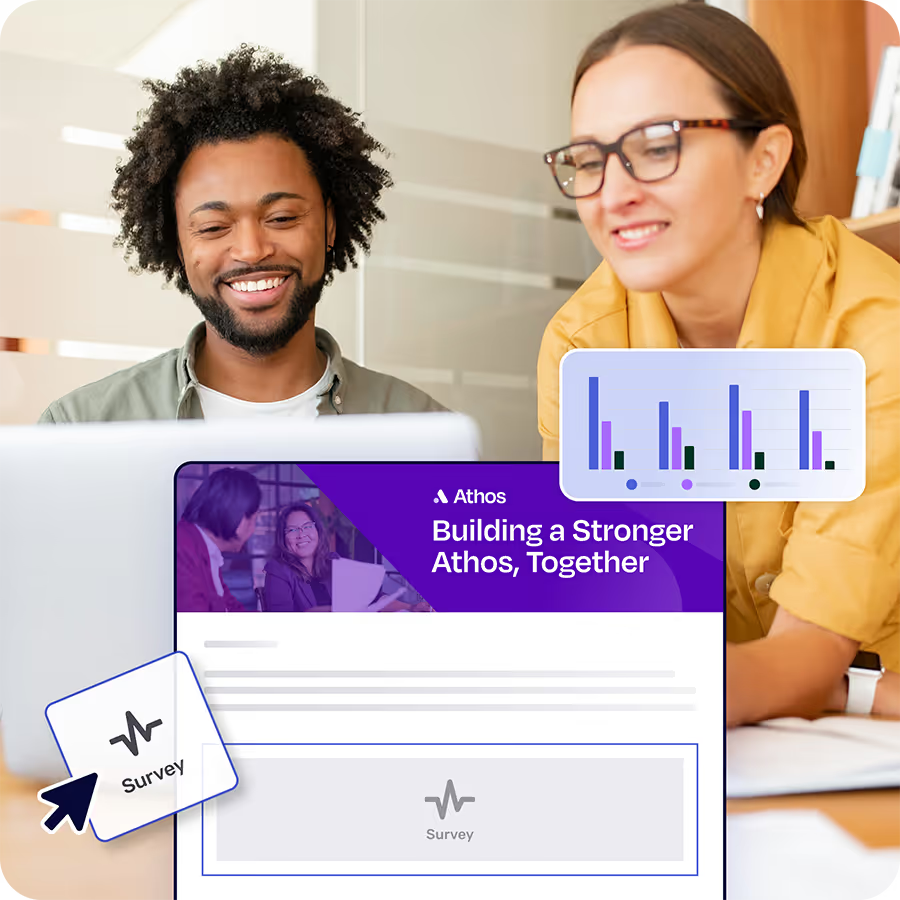
That's why we built Foundations. Purpose-built for internal email with all the features you wish you had - drag-and-drop email builder, analytics, employee segmentation and much more. All for free (forever). No credit card, no contracts, no setup fees.
Learn more about FoundationsIs SharePoint good for internal communications?
SharePoint is a strong intranet and document hub, but it is a destination, not a complete internal communications platform. It does not natively handle real-time push, audience-personalized content surfaces, or cross-channel measurement. Most teams use SharePoint alongside a delivery layer that adds email, mobile, and analytics so that content is not only published, but also seen by the right audiences.
What is SharePoint personalization?
SharePoint personalization is the practice of tailoring what each employee sees on SharePoint based on their role, location, department, and engagement history, rather than showing one home page to everyone. In practice it depends on rules-based audiences fed by HRIS or identity data and on extending content delivery beyond the intranet itself, so personalized content reaches employees through email, mobile, and chat in addition to the intranet.
How do you reach frontline employees through SharePoint?
Frontline employees rarely log into the corporate intranet on a regular schedule, so reaching them through SharePoint alone is not realistic. The practical answer is to extend SharePoint content into channels frontline employees use, including mobile push, SMS, email, or chat, and to track reach by segment so frontline coverage is visible alongside corporate coverage.
What is the best way to measure SharePoint internal communications?
SharePoint's native analytics report page views and visits, but they do not report cross-channel reach, audience-segment performance, or whether a specific message landed with a specific group. Cross-channel analytics that produce one view across SharePoint, email, Teams, and mobile are the practical answer, especially for communications leaders defending budget or program investment to leadership.