Most internal comms teams are not measuring anything; they are measuring the wrong things, or they are stuck with tools that were never built to answer the questions leadership keeps asking. Gmail and Outlook give you a sent count. That is not analytics. If you cannot answer "Did employees read that update?" or "Which department has the lowest engagement on all-staff sends?", the problem is probably not your strategy. It is your tooling. This post covers what good internal communications analytics should actually show you, which metrics are worth tracking, and what Cerkl Foundations Insights gives you that your email client never will.
Why Email Clients Fall Short for Internal Comms Measurement
Gmail and Outlook were built to send and receive email. They were not built to measure internal communication programs, and the gap shows quickly when someone starts asking for data.
Out of the box, both platforms give you delivery status sent, delivered, and bounced. Some organizations layer on read receipts, but those are unreliable at scale and depend entirely on recipients enabling them. There is no native open tracking, no click attribution, no audience-level breakdown, and no way to compare performance across sends or over time. You cannot run a report that shows which locations or departments consistently open your all-staff newsletter versus which ones do not. You cannot trend your open rates across a quarter. You cannot confirm that a mandatory policy update was actually read by the people who needed to read it.
Distribution lists compound the problem. They are static, require manual maintenance, and offer zero behavioral data. When you send to "All-Staff-DL" in Outlook, you know the email went out. You do not know who received it, who opened it, or who clicked anything in it. For a one-off announcement, that might be acceptable. For an ongoing employee communications program, it means flying blind.
The result is that internal comms teams find themselves unable to answer the questions that matter most to leadership — and the lack of data starts to look like a lack of accountability, even when the communications themselves are strong. That is a resolvable problem, but not with the tools that created it.
What Internal Email Analytics Features Actually Matter
When evaluating an internal comms platform's analytics, the relevant question is not "how many charts does it have?" The question is whether the data helps you improve your communications and demonstrate their value. Here is what that actually requires.
Open Rate Per Send
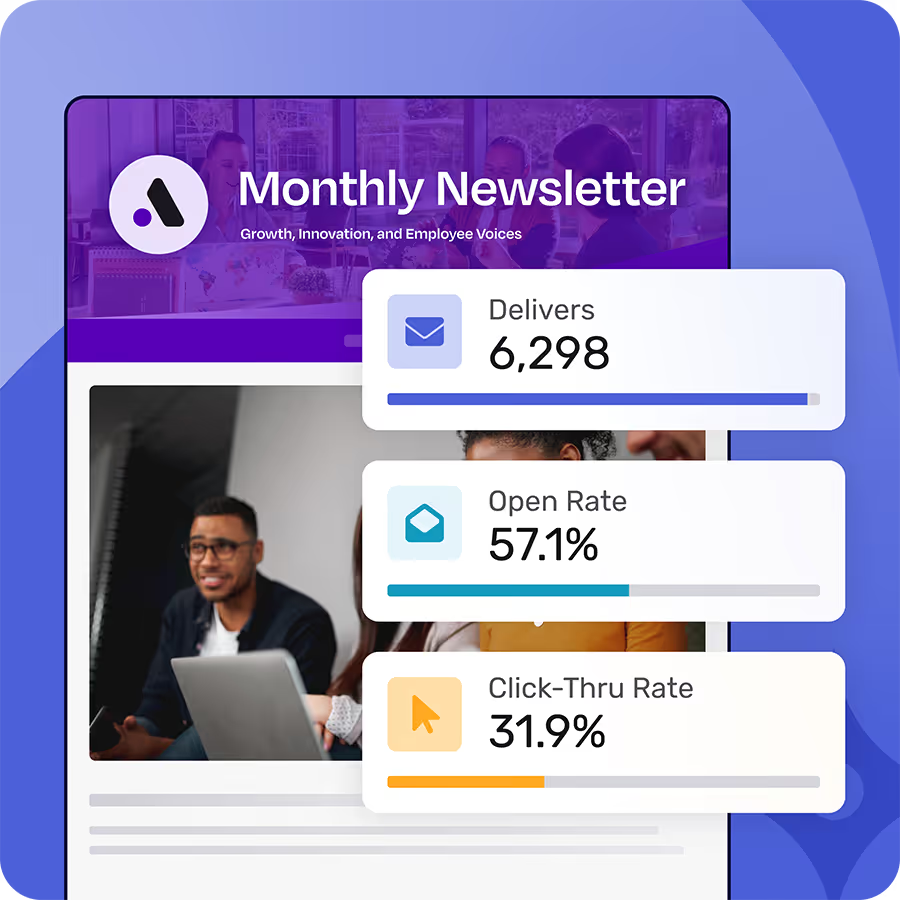
Open rate is the baseline signal, what percentage of recipients opened the message. On its own, a single open rate number tells you relatively little. Trended over time across multiple sends, it tells you whether engagement is improving or declining, and whether specific types of content outperform others. A communicator who can show leadership a three-month open rate trend has a fundamentally stronger case than one who can only report on the last blast.
Click-Through Rate
Click-through rate tells you whether employees took action, not just whether they opened the email. For high-stakes sends, benefits enrollment deadlines, policy acknowledgment requests, event registration, safety compliance notices a click tells you the communication actually worked. Open-without-click is often a signal that the email was opened but the content or call to action did not land.
Audience Reach
Reach is distinct from open rate. Open rate is a percentage. Reach is an absolute count — how many unique employees were actually touched by your communication. For distributed workforces where email deliverability across departments and locations can vary, reach data is often more meaningful than open percentage alone. It also matters for reporting: telling leadership that a policy update reached 4,200 of 4,800 employees is more concrete than saying it had a 54% open rate.
Segment-Level Performance
This is where internal email analytics gets genuinely useful. Segment-level data breaks down engagement by department, location, job function, or any other employee attribute you have mapped. When you can see that warehouse employees consistently underperform the company average on all-staff sends, or that a specific regional office never engages with benefits communications, you can adjust — different send time, different subject line, a direct manager communication instead of a broadcast. That kind of targeted response is only possible if you can see the breakdown.
Historical Performance and Trend Lines
A single blast's data is a data point. Multiple blasts over time are a pattern. Good internal communications analytics surfaces trends across your send history so you can identify when something changed — a subject line test that lifted open rates, a frequency increase that correlated with unsubscribes, a channel shift that improved reach with frontline workers. Without historical data, every send starts from scratch.
Unsubscribes and Opt-Outs
Unsubscribes in an internal comms context function as a health metric. A sustained low unsubscribe rate is a sign that employees find the communications relevant. A sudden spike is a signal worth investigating — too many sends in a short period, irrelevant content for a segment, or a tone mismatch with something happening in the organization. Tracking opt-outs over time is how you catch frequency fatigue before it becomes a broader engagement problem.
What Foundations Insights Gives You
Cerkl Foundations includes email analytics through its Insights module, built specifically for internal communications and not adapted from a marketing email platform.
Out of the box, Foundations Insights gives you open and click data per blast, audience reach across your employee list, who opened, who clicked, and historical performance data to track trends over time. For communicators running any kind of required or compliance-driven communication, the acknowledgement data is particularly important. If a department head needs to confirm that their team read a mandatory safety policy, an aggregate open rate is not enough. Foundations lets you see exactly who engaged and who did not, so you can follow up with the right people.
The contrast with Outlook and Gmail is straightforward: no tracking pixels, no aggregated reporting, and no cross-send comparison are available in either platform at scale. The contrast with external marketing tools like Mailchimp is worth making too. Mailchimp was built around subscriber lists and campaign automation for customer audiences. Its data model is designed for marketing teams — not for internal comms programs with employee audience structures, communicator seat workflows, and the expectation that recipient data maps to an HR system rather than a CRM. Using a marketing email tool for internal communications means fighting the product design at every step, including on analytics.
Foundations Insights is not an enterprise analytics suite. It is scoped to what internal comms teams actually need to report on and act on — which, for most organizations, is exactly enough.
How to Read and Use Your Engagement Data
Having data is only part of the problem. The other part is knowing what to do with it. A 54% open rate — which St. Elizabeth Healthcare consistently achieved with Cerkl Broadcast across their employee base — means something different for a 5,000-person all-staff send versus a 30-person department update where you probably know most of the recipients personally. Context matters when interpreting the numbers.
As a general benchmark: internal email tends to outperform external marketing email on open rates because employees expect the communication and find it more immediately relevant to their work. Industry benchmarks for external marketing email typically run in the low-to-mid 20s for open rates. Internal email programs running on purpose-built tools often see open rates 30 to 60 percent, depending on organization size, send frequency, and content relevance. Paycor, running on Cerkl Broadcast, achieved a 34% click rate across their internal communications program — a number that reflects strong content relevance and a clear call to action in each send.
When open rates are low, the analytics are pointing you somewhere. Check send time, subject line, content relevance for the audience, and send frequency. When one segment consistently underperforms, the issue might not be the message — it might be that the segment is getting content that does not apply to their work. When open rates are high, do not just move on. Document the result, share it with leadership, and note what drove it. High engagement data is how internal comms proves its value beyond anecdote — and it is one of the few ways to make the case for budget, headcount, or strategic influence with something other than a qualitative story.
Good internal communications analytics is not complicated, but it does require a tool that was built for the job. Gmail and Outlook were not. Neither was a general marketing email platform. Foundations gives internal comms teams the data they need to improve their programs and make the case for their work — free forever, no credit card, no sales call required.
FAQ
What is internal communications analytics?
Internal communications analytics refers to the measurement of how employees engage with workplace communications — typically email, but increasingly across channels like Teams, Slack, and intranets. It includes metrics like open rate, click-through rate, audience reach, segment-level engagement, and historical performance trends. Unlike external marketing analytics, internal comms analytics is designed to measure employee behavior rather than customer behavior, and often includes individual-level data to support compliance and accountability reporting.
Why can't I just use Gmail or Outlook for internal email analytics?
Gmail and Outlook track delivery status — sent, bounced, delivered — but they do not provide meaningful analytics for internal communications programs. They offer no native open tracking at scale, no click attribution, no audience segmentation, and no historical reporting. Read receipts are available in Outlook but unreliable at scale and do not provide the aggregated, trend-based data that a communications program requires.
What is a good open rate for internal email?
Internal email typically outperforms external marketing email on open rates because employees expect workplace communications and find them more directly relevant. External marketing email averages in the low-to-mid 20s for open rates. Internal email programs using purpose-built tools often see open rates between 30% and 60%, depending on organization size, send frequency, and content relevance. St. Elizabeth Healthcare achieved a 54% employee open rate using Cerkl Broadcast.
What is the difference between open rate and audience reach in internal comms?
Open rate is the share (or percentage) of recipients who opened a given message. Audience reach is an absolute count of how many unique employees were touched by a communication. Both metrics matter, but reach is often more useful for leadership reporting in distributed organizations where you need to demonstrate that a message actually got to a specific number of people, not just a percentage of a list.
What employee communication metrics should I track?
The most useful employee communication metrics for an internal comms program are: open rate per send (trended over time), click-through rate, audience reach, segment-level performance by department or location, historical send trends, and unsubscribe or opt-out rate. These metrics together give you a complete picture of whether your communications are reaching employees and whether employees are engaging with them.
How does Cerkl Foundations Insights differ from marketing email analytics?
Cerkl Foundations Insights is built for internal communications, not marketing campaigns. It provides employee-level engagement data (who opened, who clicked), audience reach across an employee list mapped to HR data, and historical performance tracking across sends. Marketing email tools like Mailchimp are built around customer subscriber lists and campaign CRM logic — a data model that does not map well to internal comms workflows, communicator seat structures, or the compliance and acknowledgment use cases that internal teams often need to support.