Key Insights
- Guessing is expensive: it wastes leadership time, misallocates effort, and trains stakeholders to discount comms.
- Foundations (targeting, governance, segmentation) makes your reporting credible because it defines “who” and “why” before “how did it perform.”
- Broadcast Insights is the proof layer: it shows visibility and attention signals that Outlook/Gmail can’t provide, so you can report with confidence.
- A defensible quarterly scorecard answers four questions in 15 minutes: Are we reaching the right people? Are they noticing? Are we improving? What will we change next quarter?
The cost of guessing (and why it shows up in your calendar)
If you’re “reporting” with a mix of email opens, a few screenshots, and a vibe check from managers, you’re not measuring. You’re guessing.
Guessing creates three predictable problems for SMB internal comms teams:
- You over-serve the loudest stakeholders. The exec who “didn’t see the email” becomes your routing logic.
- You spend more time debating results than improving results. Reporting turns into a defensive meeting instead of a decision-making tool.
- You can’t protect focus. When you can’t prove what’s working, everything becomes urgent and everything gets a channel.
If your quarterly report can’t answer “who saw what” and “what changed,” you don’t have a reporting problem. You have a visibility problem.
What “grown-up internal comms” reports on
Leadership needs a performance story they can act on. A defensible quarterly report answers, in order:
- What outcomes were we trying to drive? (Awareness, adoption, behavior, compliance, retention signals)
- Who did we target? (Not “all employees.” Actual audiences.)
- Did we reach them reliably? (Delivery + visibility.)
- Did attention improve? (Engagement quality, not vanity metrics.)
- What will we change next quarter based on evidence?
That’s the reporting bar. To clear it, you need a foundation before you need fancy analytics.
Quarterly reporting for comms starts with Foundations
If you want a scorecard you can defend, you need rules that make the numbers meaningful. That’s what Foundations is for.
Foundations gives you the operating system for measurement:
Targeting (who gets what, and why)
- Define 6–10 audience groups you can actually manage: frontline vs. corporate, people managers, new hires, region, function, location, shift patterns.
- Set default audiences for recurring comms (CEO updates, HR policy changes, IT notices). Reduce “spray and pray.”
Governance (how comms decisions get made)
- Set standards: naming, subject line conventions, send windows, priority tags, and what qualifies as “company-wide.”
- Create a simple intake rule: if a request doesn’t have a target audience and a purpose, it doesn’t ship yet. This protects you and improves performance.
Segmentation (how you personalize without multiplying work)
- Start with “one message, two versions”: managers vs. non-managers; deskless vs. desk-based.
Why this matters for quarterly reporting: once you can say “this message was for these people, for this reason, through this governance,” your metrics stop being trivia and start being evidence.
Now you’re ready for the proof layer.
Internal emails shouldn't be a black box.
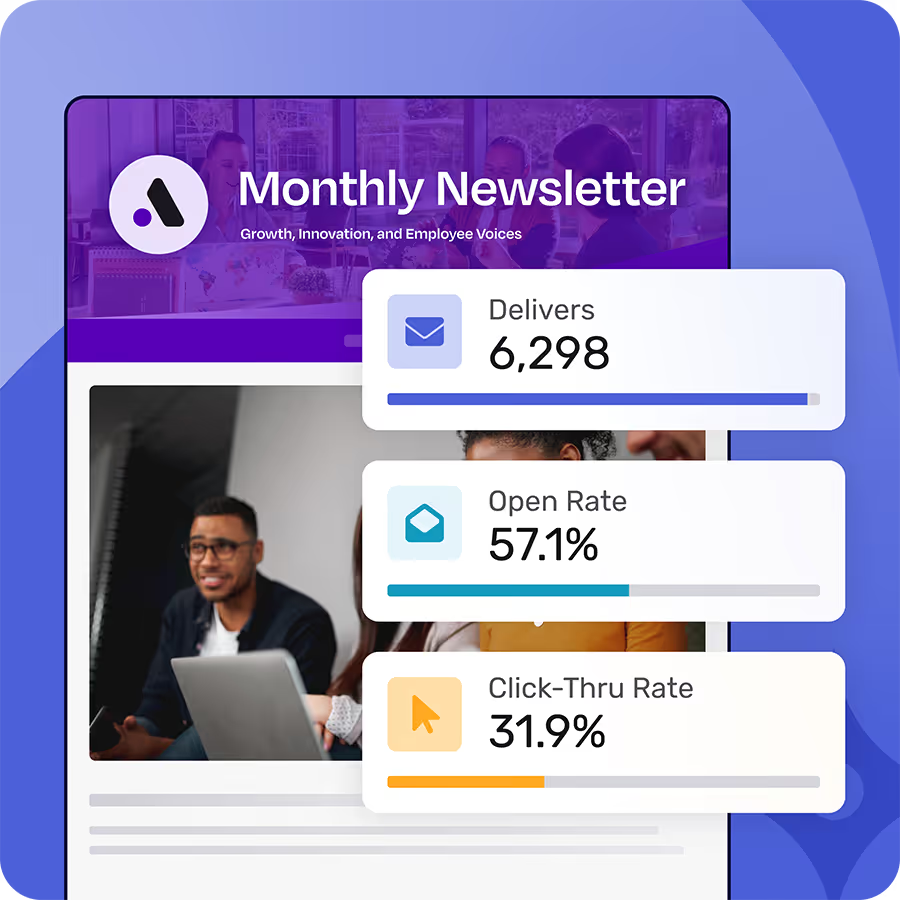
Foundations shows who opened, clicked, and engaged with your employee communications so you know what’s actually working. All for free - forever.
Learn more about FoundationsBroadcast Insights is the proof layer Outlook and Gmail can’t provide
Email platforms were built to send messages, not to help internal comms teams prove outcomes. Even when you can see basic activity, it’s often incomplete, inconsistent, or not specific enough to drive decisions.
Broadcast Insights is positioned as the proof layer because it helps you answer the questions leadership actually asks:
- Visibility: Did the intended audience actually see the message (not just receive it)?
- Audience performance: Which segments consistently engage, and which ones are being missed?
- Content signals: What topics and formats earn attention versus get ignored?
- Trend clarity: Are we improving quarter over quarter, or just sending more?
In practical terms, Insights turns your quarterly report from “here are some metrics” into “here’s what we know, and what we’re doing about it.”
The 15-minute quarterly comms scorecard (a template you can reuse)
Use this scorecard format every quarter. Same sections, same order. It trains stakeholders to focus on decisions, not debate.
Section 1: The quarter in one slide (2 minutes)
What you include:
- 3 priority themes you supported (example: Safety, Manager effectiveness, Benefits adoption)
- 3–5 “moments that mattered” (campaigns, launches, changes)
- One sentence on what changed from last quarter (example: “We reduced enterprise-wide sends by 22% and increased targeted comms to managers.”)
Section 2: Reach and visibility (4 minutes)
Goal: prove you’re reaching the right people reliably.
Report:
- Delivery health: trends in successful delivery (and any recurring issues)
- Visibility by audience segment: which groups are consistently seeing messages, and which aren’t
- Top 3 sends by visibility (what worked) and bottom 3 (what didn’t)
Example you can say out loud:
“We’re reaching corporate employees consistently. We’re not getting the same visibility with shift-based teams, so next quarter we’ll adjust send timing and reinforce via manager cascades for that segment.”
This is where Broadcast Insights earns its keep: it gives you a visibility story you can defend, not a delivery story that leaves questions.
Section 3: Attention quality (4 minutes)
Goal: separate “people noticed” from “people clicked once.”
Report:
- Engagement trend by segment (not just overall averages)
- Content performance patterns (topics, subject styles, length, format)
- The “attention tax”: messages with low engagement that still had to ship (policy, compliance), tracked separately so they don’t distort your story
Example decision output:
“Our manager audience engages more with short, action-led summaries. Next quarter we’ll standardize manager sends to a 150-word lead + 3 bullets + one clear action.”
Section 4: Operational discipline (3 minutes)
Goal: prove you’re not just producing content; you’re running a system.
Report:
- Volume and focus: total sends, but framed as “enterprise-wide vs targeted”
- Governance adherence: % of comms that met standards (audience defined, purpose defined, send window followed)
- Workflow improvements: what you automated or simplified (even one small change counts)
Why this matters: SMB leaders care about capacity. Show you’re managing it, not drowning in it.
Section 5: Next quarter’s plan (2 minutes)
Goal: turn reporting into a reset, not a retrospective.
Include:
- 2 bets (what you’ll change based on the data)
- 2 risks (what could block performance)
- 2 asks (what you need from leadership: cleaner distribution lists, manager accountability, content deadlines)
Your “bets” should map directly back to Insights and Foundations. No guessing.
Quarterly reporting pitfalls that make you look unprepared (avoid these)
- Reporting only overall averages. It hides who you’re missing. Segment or don’t bother.
- Treating volume as productivity. More sends is often a failure of targeting and governance.
- Mixing “required comms” with “engagement comms” without separating them. Compliance will drag your averages and create the wrong narrative.
- Listing metrics without decisions. If a metric doesn’t trigger a change, it’s trivia.
What to do this week (so your next quarterly report is easy)
- Define your core segments in Foundations and assign default audiences for recurring comms.
- Create a quarterly scorecard doc now (one page) and update it monthly. Don’t wait until week 12.
- Use Broadcast Insights to identify one underperforming segment and run one controlled change (send time, subject, format, channel reinforcement).
- Decide your “attention tax” category and tag those sends consistently.
What’s Next
If your quarterly report still depends on open rates, screenshots, and “I think people saw it,” you’re not reporting. You’re guessing.
Start by getting the foundation right: clear targeting, basic governance, and simple segmentation you can run without extra headcount. Then add the proof layer so you can walk into a quarterly readout with evidence, not anecdotes.
Want to know, not guess? Sign up for a free Foundations account.
If you're frustrated with Outlook or Gmail for your employee emails, we understand.
That's why we built Foundations. Purpose-built for internal email with all the features you wish you had - drag-and-drop email builder, analytics, employee segmentation and much more. All for free (forever). No credit card, no contracts, no setup fees.
Learn more about Foundations