Most lists of the best free employee newsletter tool are quietly lying to you. They count a 14-day trial as "free." They count a plan that's free until you cross 500 contacts as "free." They count a marketing platform you have to bend sideways to use for internal comms as "free." This list does none of that. Every tool below is usable without a credit card and without a clock running out on you, and where a tool has a catch, the catch is named in the same paragraph as the tool. If you also want the full paid landscape, the broader breakdown of internal email newsletter software covers the tools that charge from day one.
The short answer, if you only have a minute: Cerkl Foundations is the one entry that is forever-free, purpose-built for internal communication, and uncapped on the number of employees you reach. The rest of this post earns that ranking by being specific about what every other option gives you and where it stops.
What "free" actually means in 2026
"Free" is four different products wearing the same label, and the difference decides whether you're still using the tool in six months.
Forever-free means the plan costs nothing indefinitely. You can run it next year on the same terms you signed up under today. Trial-free means you get the full product for a fixed window, usually 7 to 30 days, after which it stops working unless you pay. Freemium means a permanent free plan exists, but the features most internal comms teams actually need, segmentation, scheduling, analytics, sit behind the paid wall. Free-tier-with-a-cap means the plan is genuinely free until you cross a threshold, a contact count or a monthly send limit, at which point the price jumps from zero to a real invoice.
When you read any "free internal newsletter tool" roundup, sort every entry into one of those four buckets before you trust it. Most listicles blur them on purpose, because "7 free tools" reads better than "1 free tool and 6 trials." A tool that's free for 30 days isn't a free tool. It's a paid tool with a grace period.
Why most "free internal newsletter tool" articles mislead
There are five gotchas that turn a "free" recommendation into a bill, and once you know them you can audit any list in about a minute.
The first is the trial dressed as free. The headline says free, the fine print says 14 days. The second is the freemium wall, where the free plan exists but strips out audience segmentation or analytics, the two things that separate an internal newsletter from a mass email. The third is the per-contact or per-subscriber cap, common in marketing tools, where the plan is free until your employee list outgrows it, and a 600-person company crosses that line on day one. The fourth is the credit-card-to-start requirement, which means you're one forgotten cancellation away from a charge. The fifth, and the most common in these roundups, is the repurposed marketing tool, a platform built to sell to customers that you've been told to point at your own staff instead.
That last one matters more than it sounds. A marketing email tool models your audience as a list of leads, not as a workforce with departments, locations, and roles. You can make it work, but you'll be fighting the tool's assumptions every time you want to send the warehouse team something the head office doesn't need.
How we picked: four criteria for a free employee newsletter platform
A free employee newsletter platform has to clear four bars before it belongs on this list, and the order matters.
It has to be forever-free, not a trial and not a freemium teaser, because a tool you have to replace in a month isn't solving your problem, it's deferring it. It has to be purpose-built for internal communication rather than repurposed from external marketing, because the job of an internal newsletter, getting a specific message read by specific employees, is a different job from selling to a list. It has to offer real audience targeting so you can send to a department or a location instead of blasting everyone, which is most of the reason an internal newsletter beats a company-wide reply-all thread in the first place. And it has to deliver reliably inside corporate email, where Outlook and Gmail render templates differently and a layout that looks fine in preview can break in an employee's actual inbox.
Tools that clear all four get ranked on how much they give you before asking for money. Tools that clear most of them are still listed, with the gap named, because some teams will be fine living inside it.
The 7 best free employee newsletter tools
1. Cerkl Foundations
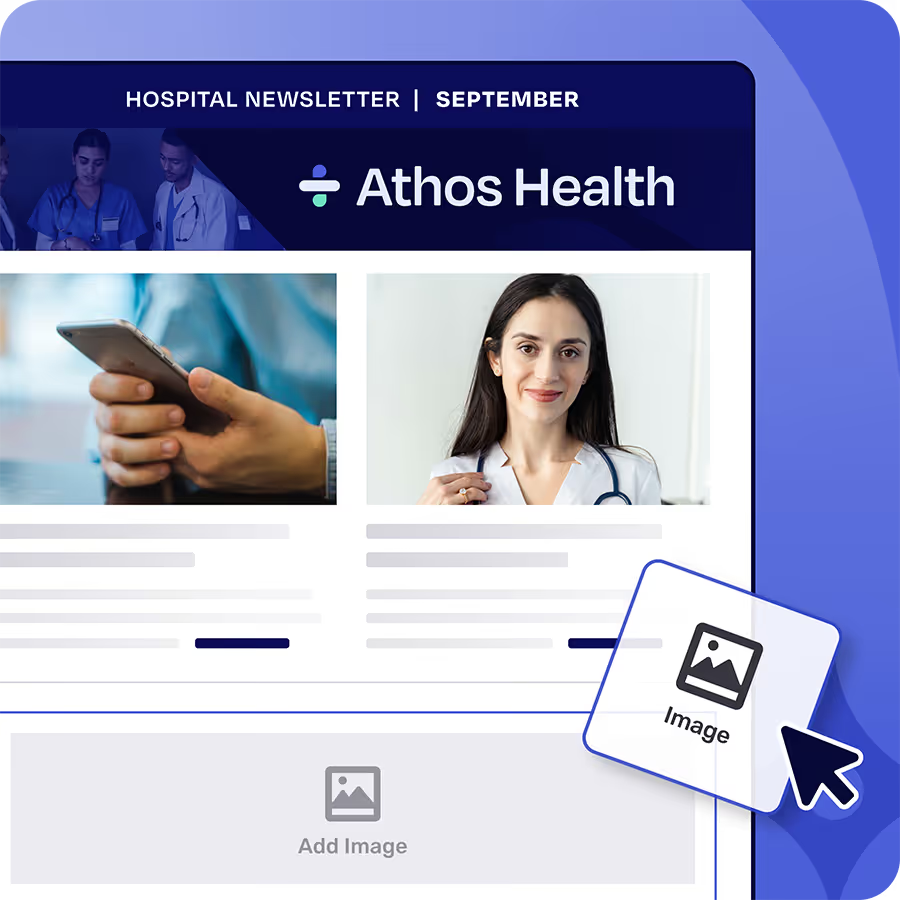
Cerkl Foundations is the only tool on this list that is forever-free and built for internal communication from the ground up. A couple of the marketing tools below (Sender, Brevo) are genuinely forever-free too, so free alone isn't the differentiator, built for internal communication is, and that's the bar that decides whether a free plan is actually useful to you. There's no credit card, no contract, no setup fee, and no trial clock. You get 5,000 email sends a month, three communicator seats, a drag-and-drop builder with a library of pre-made templates, Audience Manager for segmenting employees by department, location, or role, Insights for read and engagement analytics, and employee acknowledgments so you can see who has actually read a message, the one thing Gmail and Outlook can't tell you. The number of employees you can reach is not capped, which is the line most "free" tools quietly draw.
The honest detail worth knowing: the free subscription auto-renews monthly even at $0, and if you turn off auto-renew, the account eventually freezes after a grace period. That's an account mechanic, not a trial expiration, and it's the opposite of the usual gotcha, you stay free by leaving renewal on, not by remembering to cancel before a charge. Templates are pretested across Outlook and Gmail, so what you build is what employees see. The plan is self-serve, so you can start a free internal email account and send today without talking to anyone. Foundations is the one entry here that doesn't make you choose between "free" and "actually built for this," which is why it's the free Foundations plan we lead with.
2. Mailchimp (free plan)
Mailchimp's free plan is the most recognizable name on this list and the clearest example of a repurposed marketing tool. You get a solid drag-and-drop builder and templates that render well. The gotcha is twofold: it's capped at 250 contacts and 500 sends a month on the free tier (Mailchimp cut both limits in February 2026), and it models your audience as marketing contacts, not employees, so internal segmentation by department or role is awkward at best. For a small team that just needs a clean-looking monthly update, it works. For anyone who wants to target the way internal comms actually works, you'll outgrow it fast.
3. Sender
Sender offers one of the more generous free tiers in the marketing-email category: up to 2,500 subscribers and 15,000 emails a month at no cost, with a decent builder and automation. The gotcha is the same category problem as Mailchimp, it's built for ecommerce and marketing audiences, so the audience model and reporting are tuned for campaigns and conversions rather than internal read-through. If your "newsletter" is closer to a marketing send than a workforce briefing, Sender stretches further than most before charging.
4. Brevo (free tier)
Brevo (formerly Sendinblue) gives you unlimited contacts on its free plan, which dodges the per-contact cap that sinks Mailchimp for larger teams. The catch moves to the send side: the free tier limits you to 300 emails a day. For a 600-person company sending one newsletter, that's a two-day send, which is workable but clumsy. It's a marketing platform at heart, so the same internal-segmentation friction applies, but the unlimited-contacts model makes it more viable for a bigger headcount than most free marketing tools.
5. MailerLite (free plan)
MailerLite's free plan covers up to 500 subscribers and 12,000 monthly emails, with a genuinely good builder and a clean interface that's easy to hand to a non-technical communicator. The gotcha is the 500-subscriber ceiling, which a mid-size company crosses quickly, and the marketing-first audience model. For a small org that values ease of use over internal-comms-specific features, MailerLite is one of the more pleasant free tools to actually use day to day.
6. Beefree (free email builder)
Beefree is the odd one out: it's a free email design tool, not a sending platform. You build a beautiful, responsive newsletter in its editor, export the HTML, and send it through whatever you already have. The gotcha is that it does exactly one job, design, and nothing else. No audience management, no sending, no analytics. It's a useful companion to a free sending tool rather than a standalone newsletter solution, and it's worth knowing about precisely because it fills the design gap when your sending tool's builder is weak.
7. Google Workspace groups / Gmail
If you already pay for Google Workspace, sending an internal newsletter through a Gmail group costs nothing extra, which is why it lands on free lists. The gotcha is that it's free the way a hammer is a screwdriver: there's no real builder, no segmentation beyond the groups you manually maintain, no templates, and no analytics. You can't tell who read what. It's the baseline most teams start from and the exact workflow purpose-built tools exist to replace, but if your needs are genuinely minimal and Workspace is already paid for, it technically qualifies.
When a free newsletter tool is enough, and the signals it's time to upgrade
For a lot of teams, free is the permanent answer, not a stepping stone. A company under 500 employees sending a weekly or monthly newsletter, with one or two people doing the communicating, can run on a free tool indefinitely and never hit a wall worth paying to remove. If that's you, pick the tool that fits your audience model and stop shopping.
The signals that you've outgrown free are concrete, not vague. You're hitting the monthly send cap and rationing emails. You need more communicator seats than the free plan allows because more people are publishing. You need calendar invites that land as real Outlook or Google Calendar events, API access to wire the newsletter into other systems, or single sign-on for security review. Or you've moved past email into Teams, Slack, and intranet and need to publish once across all of them. At that point the broader internal email newsletter software comparison is the right next read, because the question stops being "what's free" and starts being "what's worth paying for." Sales-led tools like ContactMonkey and Workshop both start with a real invoice and no free tier, which is the honest difference when you compare a free alternative to ContactMonkey or weigh Cerkl against Workshop.
How to switch from a paid tool to a free one in 30 days
Moving off a paid newsletter tool onto a free one is a four-step job, and a month is plenty of time to do it without a gap in your sends.
In week one, export your audience from the paid tool, a CSV of employees with their department, location, and role attributes, and import it into the free tool's audience manager so your segments survive the move. In week two, rebuild your two or three most-used templates in the new builder; don't try to port everything, just the layouts you actually send. In week three, run a parallel send: publish your real newsletter from both tools to a small test group and compare rendering in Outlook and Gmail side by side, so you catch any layout breakage before it reaches everyone. In week four, cut over fully, send the live newsletter from the free tool, and let the paid subscription lapse at its renewal date. The whole migration costs you a few hours a week, and once it's done your recurring newsletter bill is zero.
The thing that derails these migrations is treating them as all-or-nothing on a single day. Spread across four weeks with a parallel-send checkpoint, the switch is low-risk, and the only real work is rebuilding a couple of templates. Once you've picked a tool and made the move, the harder question is what to put in the thing every week, which is where a running list of company newsletter ideas earns its keep. Start free with Cerkl Foundations, run the same migration playbook, and you're sending a purpose-built internal newsletter without a card on file.
FAQ
Is there a truly free employee newsletter tool with no trial?
Yes. Cerkl Foundations is forever-free with no credit card, no contract, and no trial clock. You get 5,000 sends a month, three communicator seats, a drag-and-drop builder, audience segmentation, and read analytics, with no cap on the number of employees you can reach. It's the only tool of the seven here that is both forever-free and purpose-built for internal communication rather than repurposed from marketing.
What's the difference between free-forever and a free trial?
A free trial gives you the full product for a fixed window, usually 7 to 30 days, after which the tool stops working unless you pay. Free-forever means the plan costs nothing indefinitely and you can run it next year on the same terms. Many "free tool" lists count trials as free, which is why a plan that works for 14 days and then bills you keeps showing up on them.
Can I use Mailchimp's free plan for an internal newsletter?
You can, but it's built for external marketing, not internal communication. The free plan caps you at 250 contacts and 500 monthly sends, and it models your audience as marketing leads rather than employees, so segmenting by department, location, or role is awkward. For a small team sending a simple monthly update it works; for internal-comms-specific targeting you'll outgrow it quickly.
How many people can I send to for free?
It depends entirely on the tool's cap model. Marketing tools usually cap on contacts or subscribers (Mailchimp at 250, MailerLite at 500) or on daily sends (Brevo at 300 a day). Cerkl Foundations caps on monthly sends (5,000) rather than on the number of employees, so the size of your workforce doesn't push you off the free plan the way a per-contact cap does.
When should I upgrade from a free newsletter tool?
Upgrade when the constraints start costing you real time: you're rationing sends against a monthly cap, you need more communicator seats, or you need features the free plan doesn't include like calendar invites, API access, single sign-on, or publishing across Teams, Slack, and intranet. A company under 500 employees sending a weekly newsletter can usually stay free indefinitely.