How to Pick between Outlook and Gmail for Internal Comms in 2026
How to Pick between Outlook and Gmail for Internal Comms in 2026
This article compares Outlook and Gmail as email tools. It is focused on email platform choice. The problem centers on email selection. It aligns with Foundations.
Written By:
Cerkl Research Team
Published:
January 14, 2026
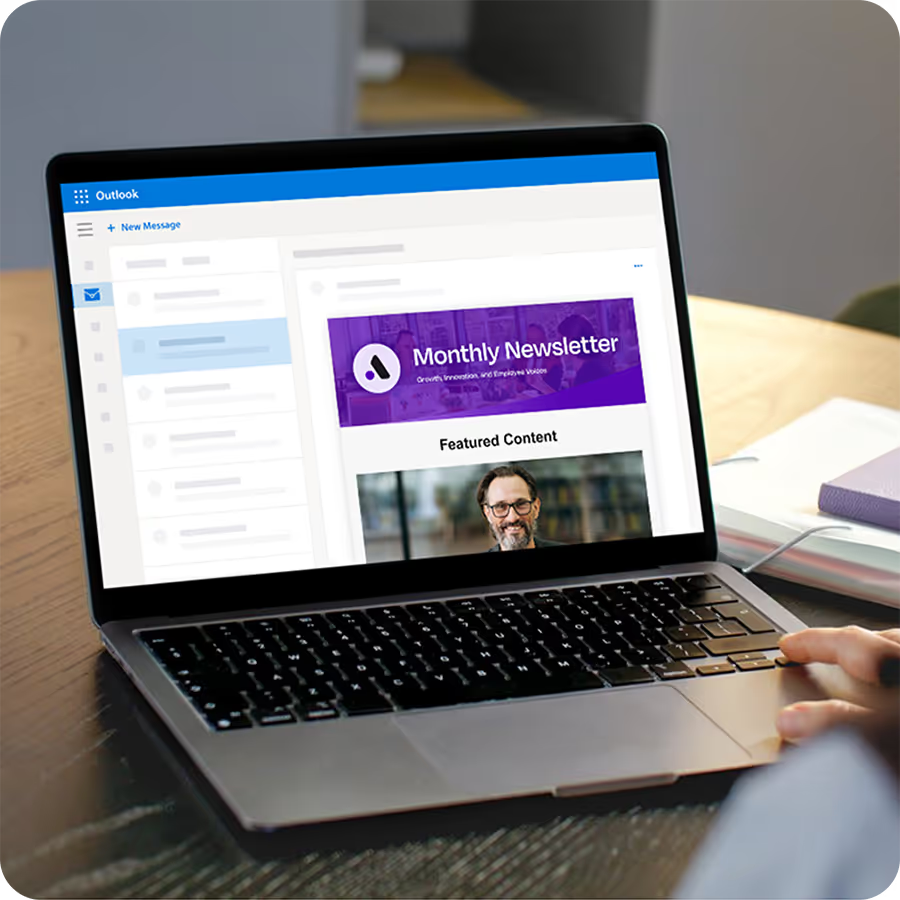
Send employee emails from Outlook?
Foundations adds targeting, engagement analytics, and pulse surveys to the Outlook emails you're already sending. Upgrade your internal email game with Foundations. Oh, it's free too.
Email remains the most popular and most used workplace communication model. As Gallgher’s State of the Sector 2024/25 survey states in the Employee Communications Report confirms, email announcements remain the most used and effective channel. For instance, when it comes to company announcements, 92% use email as the preferred channel. Email announcements that appear to have come from a company leader are used by 84%. No other channel challenges these stats.
Two platforms continuing to dominate that landscape are Microsoft Outlook and Gmail. Outlook is embedded deeply into Microsoft 365, which Microsoft reports is used by more than 400 million paid commercial Microsoft 365 seats globally, making Outlook one of the most widely deployed business email clients in the world. Google reports similarly expansive reach, stating that over 9 million organizations globally rely on Google Workspace, with Gmail serving as the core communication tool for those users.
While both platforms excel at day-to-day correspondence, neither was built for large-scale internal communications. Microsoft notes in its product documentation that Outlook is designed primarily for personal productivity and team collaboration within Microsoft 365. Google describes Gmail as a secure, flexible email client optimized for individual and group messaging, not for segmented internal campaigns or analytics-driven employee engagement.
Internal communication needs have evolved dramatically.
Nevertheless, employees expect timely, targeted, and relevant updates, not mass emails that treat every audience the same. Yet Outlook and Gmail offer only basic list management, no dynamic employee segmentation, and extremely limited engagement analytics. Neither platform includes native tools for message performance (beyond read receipts in Outlook or third-party add-ons), nor mechanisms for automating large internal sends or distributing content based on role, location, or behavior.
As organizations evaluate how to communicate more effectively in 2026, understanding what Outlook and Gmail can and cannot support becomes essential.
My Methodology for Determining the Best Platform
To offer a clear, unbiased comparison between Outlook and Gmail for internal communications in 2026, I evaluated both platforms using criteria that reflect the real needs of internal comms, HR, and IT teams rather than general email use. My goal was to measure how each platform performs when organizations need to send reliable, targeted, secure, and trackable internal messages at scale.
This analysis focused on four core areas:
Email creation and formatting flexibility: How easily communicators can create branded, consistent, and professional internal emails using the native tools available in Outlook and Gmail, without relying on add-ins or external design software.
Employee list management and segmentation: Whether each platform supports accurate internal distribution lists, dynamic updates through directory services, segmentation by role or location, and ease of maintenance for communicators.
Security, compliance, and governance: The level of built-in protection offered by each platform. This applies to encryption, authentication, mobile security controls, data governance, and administrative oversight that ensures safe internal message distribution.
Measurement and analytics: The depth of insights each platform provides into internal message performance, including engagement metrics, read status, and any reporting tools that help communicators assess effectiveness.
By applying the same criteria to both platforms, this methodology highlights not only where Outlook and Gmail excel, but also where they fall short when used for structured internal communications programs. This side-by-side approach gives organizations a clear foundation for choosing the email environment that best aligns with their communication strategy, scale, and relevant governance requirements.
Foundations gives internal communicators a drag-n-drop email builder plus 10+ internal comms email templates. Say goodbye to fighting Outlook/Gmail formatting! Oh, Foundations is free (forever).
Comparison of Outlook and Gmail Capabilities for Internal Communication
I’m going to break down how Outlook and Gmail perform across the core capabilities internal communication teams rely on, using the Snapshot table as the foundation. I have reviewed each capability individually so you can see clearly where each platform supports (or limits) large-scale internal communication.
#1 Recipient Limits
Recipient limits determine how many employees you can reach per day, which directly affects company-wide announcements and compliance messaging.
Outlook
Outlook limits senders to 5,000 recipients per day, which can block large, urgent sends if multiple messages must go out on the same day.
The Broadcast guide on Outlook sending limits has tips on how to bypass these. It also explains what the risks are and offers tips for the best and safest methods to use.
Gmail
Gmail has even stricter caps of 2,000 internal recipients and only 500 external recipients per day, making high-volume internal sends challenging without workarounds. See full details in our guide on Gmail sending limits.
Cerkl Broadcast
Broadcast has no sending limits, allowing internal comms teams to reach the entire workforce at once, regardless of organization size or message frequency.
#2 Distribution and Groups
Distribution lists determine how easily you can target specific teams, departments, or locations with internal messaging.
Outlook
Outlook distribution lists are typically IT-managed and require manual updates or Active Directory changes, which slows down communicators. Learn more in our article on creating distribution lists in Outlook.
Gmail
Gmail uses Google Groups, which are static and not synced to HR data, meaning lists often fall out of date. Instructions for building groups are covered in our guide on how to create a contact group in Gmail.
Cerkl Broadcast
Broadcast uses dynamic, auto-updating lists synced to your HRIS or Active Directory, ensuring accurate targeting without manual maintenance.
#3 Templates
There is no doubt that templates shape how professional, consistent, and brand-aligned your internal emails look. They can be incredibly helpful, adding impact to your internal comms.
Outlook
Outlook only supports basic .OFT templates, which offer limited branding, inconsistent formatting, and no responsive design.
Gmail
Gmail templates are plain-text or lightly formatted, without advanced layout controls or internal-comms-oriented design options.
Cerkl Broadcast
Broadcast provides branded drag-and-drop templates built for internal updates, allowing communicators to create polished messages quickly and consistently.
#4 Tracking and Analytics
Analytics help internal comms measure engagement, understand message performance, and optimize timing and content.
Outlook
Outlook offers no native analytics beyond read receipts, which are unreliable and often disabled by employees. Learn more in our guide to Outlook email tracking.
Gmail
Gmail has minimal tracking, with no built-in open-rate or click-rate reporting features. See our full breakdown in the article on Gmail analytics.
Cerkl Broadcast
Broadcast includes advanced analytics, including opens, clicks, heatmaps, top-performing content, optimal send-times, and audience-level insights.
#5 Email Scheduling
Scheduling supports time-zone alignment, recurring messages, and planned campaigns.
Outlook
Outlook supports only one-time delayed sends, with no recurring or automated scheduling options.
Gmail
Gmail also offers only one-time schedule-send, requiring manual setup for each message.
Cerkl Broadcast
Broadcast enables recurring scheduling, optimized send-times, and automated distribution, ideal for weekly newsletters and compliance reminders.
#6 Calendar Invites
Calendar invites matter when internal comms teams need to share events, all-hands meetings, or reminders.
Gmail supports basic Google Calendar invites, usually requiring employees to manually add events. See our tutorial on Google Calendar invites
Cerkl Broadcast
Broadcast includes built-in calendar invites with automatic syncing, making event promotion part of your regular internal comms workflow.
#7 Forwarding Risk
Forwarding control is critical for protecting sensitive internal information.
Outlook
Outlook restricts forwarding only at the admin level, meaning communicators cannot control forwarding per message.
Gmail
Gmail also limits forwarding controls to administrators, leaving no per-email restriction for communicators.
Cerkl Broadcast
Broadcast supports internal-only forwarding restrictions, preventing employees from sending internal updates outside the organization.
Why Outlook and Gmail Can’t Keep Up With 2026 Internal Comms Needs
Internal communication in 2026 demands more than basic email delivery. It requires precision, targeting, analytics, and orchestration. But as message volume grows across email, Teams, Slack, intranets, mobile apps, and project tools, employees are already overloaded and struggling to keep up. Outlook and Gmail were built for individual correspondence, not for navigating this level of complexity.
Leadership now expects data-backed insights. Those in charge want to know who opened, who didn’t, which content mattered, and which teams missed critical updates. Neither Outlook nor Gmail provides engagement analytics, behavioral data, or content performance reporting. This makes it nearly impossible for internal comms teams to justify impact or optimize messages.
Compliance pressures add another layer. Organizations need strict distribution controls, audit trails, and the ability to prevent external forwarding. Both Outlook and Gmail rely on global admin settings, offering communicators no message-level governance or protection.
Simply put, Outlook and Gmail weren’t built for the internal comms environment companies now operate in. They’re reliable email clients. But they’re not communication intelligence platforms capable of supporting scaled, segmented, secure internal communication in a modern workplace.
The Future of Internal Communications
The future of internal communication lies in platforms that unify channels, personalize content, and provide actionable analytics. Rather than forcing communicators to patch together spreadsheets, distribution lists, and manual email scheduling, modern internal comms requires an ecosystem that adapts to how employees consume information and how organizations operate.
Cerkl Broadcast is designed for this shift. As an omnichannel internal communications platform, it delivers email, intranet, and mobile content in one streamlined workflow - with the targeting, segmentation, and dynamic delivery that Outlook and Gmail don’t offer. Broadcast automatically updates audience segments using HRIS or Active Directory data, sends each message at the optimal time for each employee, and provides deep analytics that show what’s working and where communication gaps exist.
Instead of sending messages blindly, internal comms teams gain visibility into open rates, click trends, content performance, and team-level engagement patterns. This intelligence unlocks what traditional inbox tools never could: the ability to communicate intentionally, measure impact, and continuously improve.
The future isn’t just about sending internal emails. It’s about orchestrating communication across channels, audiences, and moments - with clarity, accuracy, and insight. Cerkl Broadcast brings that future within reach.
Part about Cerkl (omnichannel, email, analytics, segmentation)
What’s Next
If your team is ready to move beyond the limitations of Outlook and Gmail, the next step is adopting tools that help you measure impact, improve targeting, and deliver more meaningful employee communication. Here are two resources to help you strengthen your internal comms program immediately.
Build, send, and analyze your internal emails with a platform designed specifically for employee communication, not marketing tools or basic inbox features. The free Broadcast Foundations Tier gives you branded templates, dynamic employee lists, recurring scheduling, and engagement analytics so you can run a professional, data-driven internal comms program without the cost or complexity of enterprise software. You can take a team of three on board and send 5,000 free emails every month.
Start using Broadcast’s free Foundations plan today and modernize your internal comms workflow with tools built for how employees actually communicate.
Both Outlook and Gmail are reliable for day-to-day email. The right choice depends on your organization’s ecosystem: Microsoft 365 environments typically prefer Outlook, while Google Workspace environments favor Gmail for its simplicity and collaboration features.
Why do corporates use Outlook instead of Gmail?
Corporates often choose Outlook because it integrates deeply with Microsoft 365 tools like Teams, SharePoint, and OneDrive. It also provides granular administrative controls, making it easier for IT teams to manage security and compliance at scale.
What are the disadvantages of Outlook?
Outlook can feel heavy or slower than browser-based tools, especially with multiple accounts or large inboxes. It also lacks native analytics, automation, and dynamic segmentation, limiting its usefulness for structured internal communications.
Which is safer, Gmail or Outlook?
Both Gmail and Outlook offer strong security features, including encryption, multi-factor authentication, and enterprise-level administrative controls. Security differences often depend more on how an organization configures its policies than on the platform itself.
Did you enjoy this content? Please share it with your internal comms friends and colleagues. Just click on any of the links below.



.avif)