Gmail Analytics: How to Track and Analyze Email Traffic and CTR
Gmail Analytics: How to Track and Analyze Email Traffic and CTR
This article provides tactical guidance for tracking Gmail traffic and click-through rates. It is focused on email performance measurement. The problem is internal email optimization. The solution remains email-focused.
Written By:
Cerkl Research Team
Published:
October 16, 2025
Sending employee emails from Gmail?
Foundations adds segmentation, engagement analytics, and pulse surveys to the Gmail emails you're already sending. Oh, Foundations is free too!
Gmail analytics refers to tracking how emails perform once they reach inboxes, offering insight into open rates, clicks, and engagement patterns.
Why analytics matter: Measuring email performance helps communicators understand how messages are received and adjust strategies to improve clarity, relevance, and impact.
Key metrics to track: Important indicators include open rate, click-through rate, reply and forward rate, bounce and delivery rate, and unsubscribe rate. These metrics reveal whether communication is effective and engaging.
Limitations of Analytics for Gmail: Gmail’s built-in features focus on sending and storing emails, not on providing detailed analytics. Without centralized dashboards or segmentation, users lack visibility into engagement trends.
Alternative solutions available: While Gmail itself does not offer robust analytics, workarounds such as plugins, integrations, or third-party tools can provide deeper insights into communication performance. There are also proven alternatives like Cerkl Broadcast.
Email communication remains a cornerstone of internal communication strategy even in an era of instant messaging and social media. For this reason, analytics continues to be a vital component in assessing email performance and fine-tuning communication strategies.
According to Gallagher’s 2025 Workforce Trends Employee Communications Report, based on its definitive State of the Sector 2024/25 survey, a lack of analytics and measurement remains a top barrier for successful internal communications. They found that this is one of the top five barriers that has a negative effect on communicator confidence.
At the same time, email has continued to drop in the ranks of efficacy. While the volume of communicators using email as a listening method has increased slightly, from 48% to 49% in the past year, perceived effectiveness or value has dropped substantially. In 2023/24 52% found it to be effective. In 2024/25, only 25% said email had value as a listening method.
Is this because of a lack of proper measurement and analytics? If a lack of analytics is a barrier, how can communicators evaluate effectiveness?
Another issue the 2024/25 report identifies is that despite 92% of the respondents who participated in the survey being accountable for employee engagement, only 71% monitor employee engagement rates regularly. Similarly, although 56% said they were accountable for employee retention, only 40% track this as a business metric. Workforce size is the third top metric communicators track in the U.S. (56%) and the UK (45%).
On a positive note, 81% of communicators stated they apply meaning to measurement by using it to:
Demonstrate the value of communications
Understand the effectiveness of communications sent (presumably including email)
Inform decision about future tactics
Fewer (77%) use analytics to evaluate the performance of tactics, and 73%, to evaluate channel frameworks.
What Are Gmail Analytics?
Gmail is one of the world’s most widely used email platforms. According to 6sense, Gmail is currently used by more than 4 million companies worldwide. It has a market share of 39.64% and in 2025 ranks #1. In early 2024, it ranked just below Microsoft Outlook, which had an approximate 40% market share. Outlook’s market share has now dropped to 37.46% and while it also supports more than 4 million domains, Gmail is ahead by 236,270 customers. But simply sending and receiving messages doesn’t guarantee effective communication.
Gmail analytics, or Gmail metrics, is a term used to describe efforts to track and measure how emails perform when sent through Gmail. In practice, Gmail itself does not provide detailed analytics like open rates, click-through rates (CTR), or engagement trends. Instead, users must rely on workarounds such as third-party plugins, Chrome extensions, or integrations with CRM and marketing platforms to capture this kind of data.
Nevertheless, when applied effectively, Gmail analytics can reveal how recipients interact with messages, highlight which content drives engagement, and uncover opportunities to improve subject lines, design, and timing. While Gmail doesn’t supply these metrics natively, the concept of Gmail analytics points to the value of turning everyday email activity into actionable insights that strengthen communication strategy.
Key Gmail Metrics You Should Track
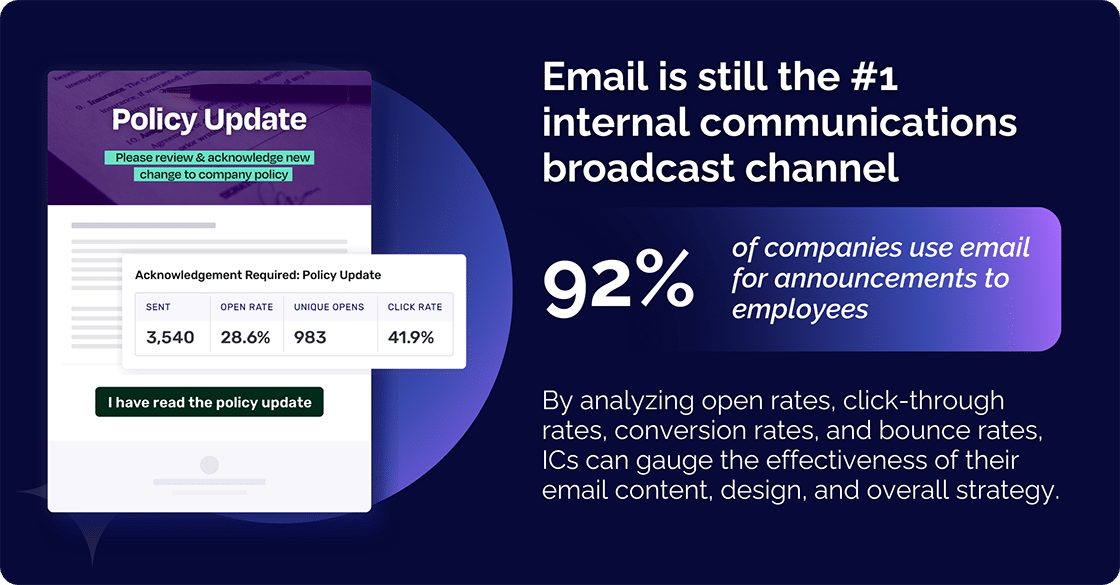
According to Gallagher’s 2024/25 report, email is still the number one internal communications broadcast channel, with 92% of companies using it for announcements to employees. Interestingly, though, only 78% of these users find email to be an effective channel - a drop of 11% since last year. To compare, while only 52% use all-employee in-person conference calls, 87% of them find it an effective channel. This highlights the need for a channel framework.
Another vital aspect, already mentioned above, is that internal communicators (ICs) worldwide continue to find the lack of analytics and measurement one of the top 5 challenges they face. Yet, the importance of analytics in assessing email performance cannot be overstated. In today’s challenging employee communication landscape, analytics provide critical insights into how recipients interact with email campaigns. They offer a window into user behavior and engagement levels. By meticulously analyzing parameters such as open rates, click-through rates, conversion rates, and bounce rates, ICs can gauge the effectiveness of their email content, design, and overall strategy.
Understanding and measuring the effectiveness of email interactions is also crucial. Fundamental email communication key performance indicators (KPIs) include average response time, conversion rates, and open rates. These KPIs offer insights into how effectively your organization communicates with employees. They also show how engaged your audience is with your emails.
In essence, analytics serve as the compass that guides email communication strategies toward achieving targeted outcomes, making it an indispensable tool in the arsenal of every IC aiming for success in the digital realm.
These are the key metrics you should be tracking.
Open Rate
Open rate indicates the percentage of employees who actually open your emails and is a good measure of employee engagement. While it doesn’t guarantee full readership, it’s a baseline metric that shows whether your subject line and sender details are compelling enough to capture attention. Monitoring open rates helps ICs identify patterns in timing, audience segmentation, and subject line effectiveness.
Click-Through Rate (CTR)
CTR measures how many recipients clicked on links within your email. For internal communicators, this shows whether employees are taking the next step - reading a policy update, accessing resources, or joining an initiative. A strong CTR reflects not just good content but also relevance, placement of calls-to-action, and overall email design. Like open rates, the CTR also helps to measure employee engagement.
Reply and Forward Rate
Reply and forward rates track two-way engagement. A high reply rate may indicate strong interest in the topic or confusion that needs clarification, while forwards show that information is being shared across teams. Together, these metrics reveal whether communication is one-way or fosters dialogue.
Bounce and Delivery Rate
Bounce rate shows how many emails never reached inboxes, often due to invalid addresses or technical issues. Delivery rate reflects how reliably your messages are getting through. Both are critical for ICs managing large distribution lists, since poor delivery skews all other metrics and erodes trust in the channel.
Unsubscribe Rate
Even in internal comms, unsubscribe metrics matter - often in the form of opt-outs from optional newsletters or distribution groups. A rising unsubscribe rate signals content fatigue, lack of relevance, or message overload. Tracking this helps communicators adjust frequency, content focus, and audience targeting.
By closely monitoring these key metrics, organizations can make informed decisions on how to optimize email strategies for a better employee experience and improved team performance. However, accessing these metrics requires reliable email analytics tools, something Gmail’s native features lack.
Internal emails shouldn't be a black box.
Foundations shows who opened, clicked, and engaged with your employee communications so you know what’s actually working. All for free - forever.
Despite being one of the most widely used email platforms, especially within Google Workspace environments, there isn’t a Gmail analytics tool that collects Gmail email analytics data or Gmail metrics. This means that Gmail doesn’t directly track your email activity in the sense of offering detailed analytics like open rates and click-throughs. Because of this limited native support for comprehensive email analytics, users seeking to understand email performance in terms of key metrics like open rates, response times, or bounce rates find themselves at a disadvantage.
Gmail does, though, collect some data for its own uses, including:
Basic usage data that includes information like the number of emails sent and received, storage used, and devices used to access Gmail. This data helps Google improve Gmail’s performance and stability.
Activity logs that record actions like searches, deletions, and drafts created, but don’t reveal specific email content. They help Google personalize your experience and troubleshoot issues.
Security tracking that aims to uncover suspicious activity to protect you from phishing and malware. This might involve temporary analysis of email content, but not for personal data mining.
Google also emphasizes data privacy and transparency, and you can manage your data usage and privacy settings within Gmail at any time. But it’s not going to help you track your own email traffic and CTR.
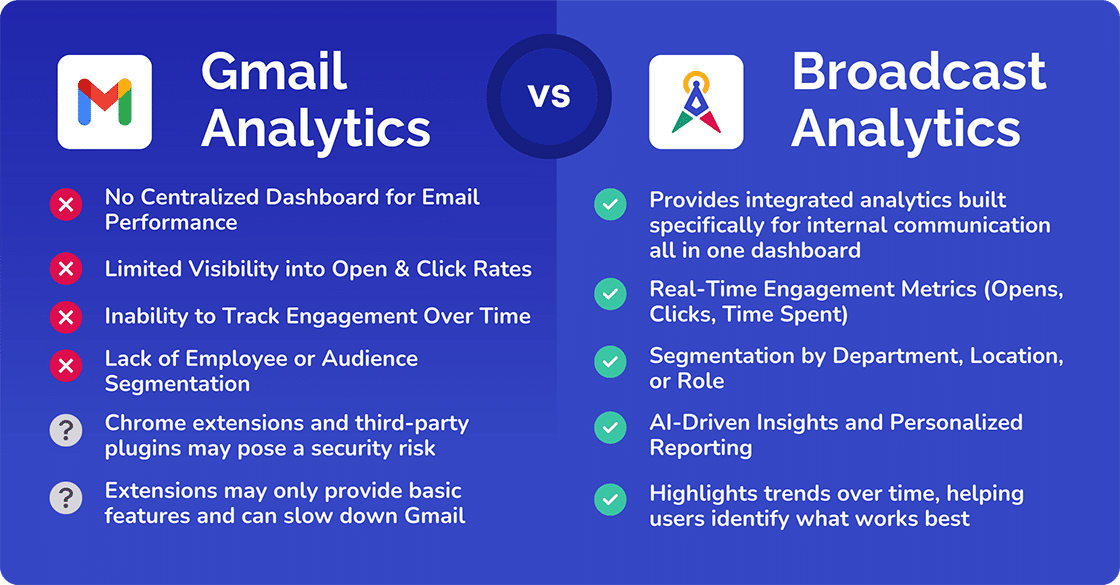
No Centralized Dashboard for Email Performance
One of the biggest gaps in Gmail analytics is the absence of a centralized dashboard. Unlike dedicated email platforms, Gmail doesn’t consolidate performance data such as open rates, bounce rates, or response times in one place. Users who want to see how their emails are performing must rely on piecemeal data or third-party tools, making it harder to monitor effectiveness at scale.
Limited Visibility into Open and Click Rates
Gmail was built primarily for sending and receiving messages, not analyzing them. As a result, users have little to no visibility into whether recipients actually open an email or click on embedded links. For internal communicators, this blind spot makes it difficult to assess whether subject lines, calls-to-action, or design choices are resonating with employees. Without this insight, fine-tuning communication strategies becomes guesswork.
Inability to Track Engagement Over Time
Another shortcoming is the inability to measure trends across campaigns. Gmail doesn’t provide a way to analyze whether engagement is improving, declining, or holding steady over time. This limitation prevents communicators from benchmarking progress, comparing results across initiatives, or demonstrating how internal email contributes to broader employee engagement goals.
Lack of Employee or Audience Segmentation
Gmail doesn’t support audience segmentation beyond simple distribution lists. Internal communicators can’t easily target messages by role, department, location, or behavior, which often leads to generic one-size-fits-all communication. The absence of segmentation means missed opportunities to personalize content, increase relevance, and ultimately boost engagement levels.
Workarounds People Try (and Their Limitations)
For businesses using Gmail, the gaps highlighted above can mean missed opportunities in optimizing email communications for higher employee engagement and a better employee experience. This has led businesses to look for alternative solutions that can bridge the gaps. What they want are solutions that offer detailed analytics insights into email traffic, CTRs, and other vital metrics.
Analytics tools are essential not just for evaluating the performance of email communication but also for strategizing and implementing more effective email campaigns.
Alternative third-party solutions often come in the form of email tracking software or email analytics platforms that integrate seamlessly with Gmail. These tools aim to provide users with comprehensive data on various aspects of email communication, such as open rates, response times, conversion rates, and more. Understanding and using these metrics allows teams to optimize their email strategies, ensuring that emails are engaging and effective in achieving desired outcomes.
No argument armed with the right analytics tools, businesses can significantly enhance their email communication processes. They can improve employee engagement and increase overall efficiency. However, selecting the right tool is crucial, as it must not only offer in-depth insights but also integrate smoothly with existing systems.
Using Chrome Extensions or Third-Party Plugins
One popular approach to overcoming the limitations of analytics for Gmail is using Chrome extensions that are designed for email tracking and analytics. There are several extensions available that can be easily added to the Chrome browser, providing users with instant insights into email performance without leaving their Gmail interface. These extensions track key metrics such as open rates, click-through rates, and response times, making it easier for users to gauge the effectiveness of their email communications.
Using Chrome extensions for email analytics offers the convenience of not having to switch between different applications or platforms to access email performance data. Users can manage and analyze their email activity directly within Gmail. This streamlines the process and saves valuable time.
Beyond Chrome extensions, a wide range of third-party plugins can also be integrated with Gmail to provide deeper analytics. These tools often go beyond basic open and click tracking to include features like A/B testing, campaign comparisons, and advanced reporting dashboards. While they may require setup and sometimes subscription costs, third-party plugins are valuable for organizations that need richer insights than Gmail alone can provide. By choosing the right plugin, communicators can align email tracking with broader business goals, employee engagement strategies, and reporting needs.
Manual Tracking with Google Sheets
For those who prefer a no-cost solution, Google Sheets can serve as a basic tracking tool. By logging sends, responses, and other manual data points, communicators can create a custom record of email performance. While this approach is time-consuming and lacks automation, it can still offer useful trend visibility, especially for smaller teams or pilot projects testing email effectiveness.
CRM or Marketing Tool Integrations
Another option is to integrate Gmail with customer relationship management (CRM) or marketing automation platforms. These integrations often unlock advanced features such as segmentation, automated tracking, and performance dashboards. For internal communicators, this means being able to measure employee engagement with the same level of precision that marketing teams apply to customer campaigns. However, such integrations can be complex and may require IT support to implement securely.
Why These Solutions Fall Short
While Chrome extensions and third-party plugins help fill the Gmail analytics gap, they come with limitations that communicators must weigh carefully. Privacy and security concerns are front and center. Many tools require access to email content to track performance, which raises risks around how sensitive information is collected, stored, or shared. Malicious or poorly secured extensions can add even greater vulnerabilities.
Functionality is also uneven. Extensions often provide only basic features such as open tracking or response times, with more advanced capabilities - click-through details, conversion tracking, or full reporting dashboards - locked behind paid plans. Third-party plugins may go further, offering comparative reporting or A/B testing, but they are rarely designed with internal communications in mind.
Practical drawbacks compound these issues. Extensions can slow Gmail or break with browser updates, while plugins often depend on ongoing vendor support and subscription fees. Integrations with CRM or marketing platforms unlock powerful analytics, but they typically focus on customer journeys rather than employee engagement, leaving internal communicators without the segmentation and trend analysis they need.
In short, while these solutions provide useful stopgaps, they fall short of delivering the centralized, purpose-built analytics required to truly measure and improve internal email communication.
A Better Alternative: Cerkl’s Internal Analytics
Gmail analytics are essential for understanding Gmail performance, especially for teams relying on Google Workspace for internal communication. However, as shown earlier, Gmail’s native tools and third-party add-ons offer limited insights. Cerkl Broadcast fills this gap by providing integrated analytics built specifically for internal communication. Its features go beyond basic tracking to deliver actionable insights that help organizations improve engagement, streamline communication, and strengthen collaboration.
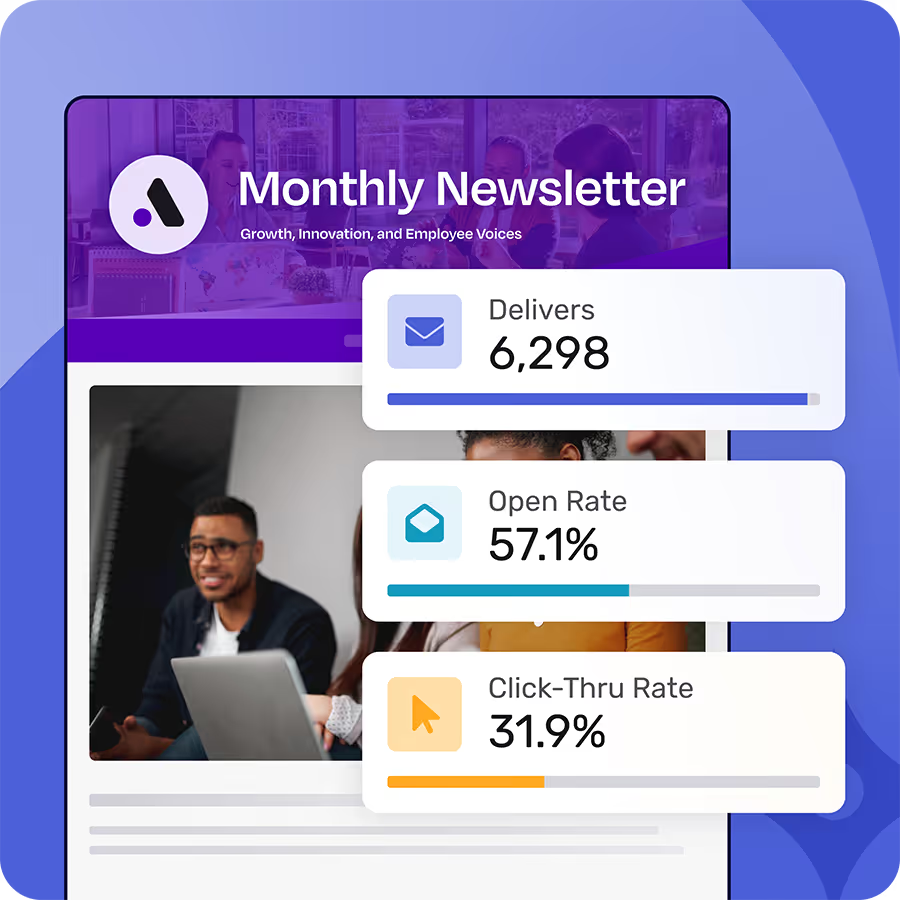
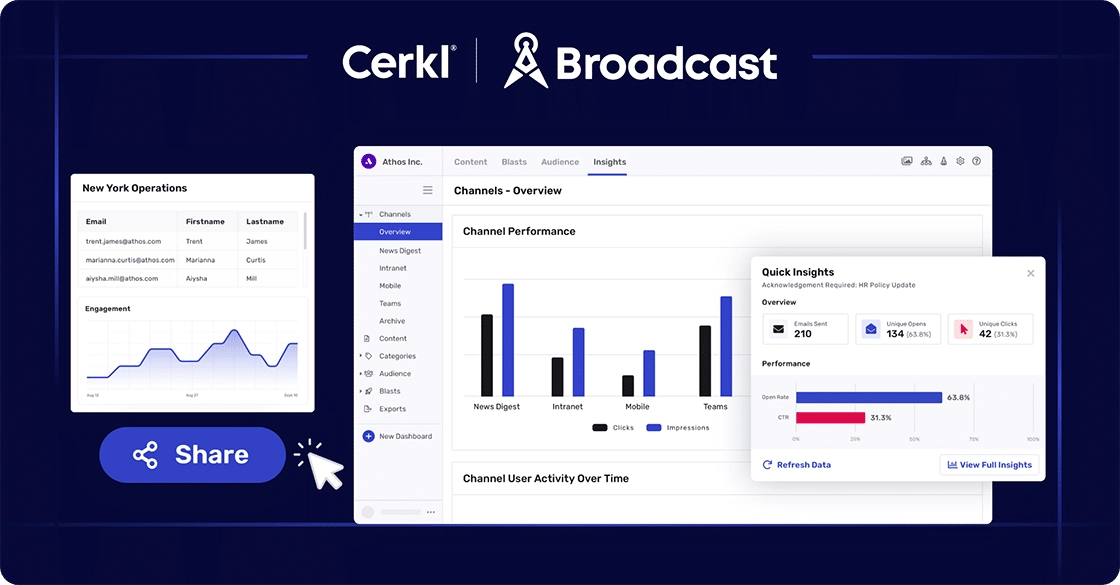
Tracking email traffic and CTR is straightforward with Broadcast. Users can access detailed reports that display the number of opened emails as well as engagement metrics like CTR. These insights show instantly on how recipients interact with email content, including which links or calls to action are most effective. The level of detail provided enables businesses to fine-tune their email content for higher engagement and conversion rates. The tool also highlights trends over time, helping users identify what works best for their email list. In this way, Broadcast serves as both a microscope to examine specific campaign metrics and a telescope to view broader email activity trends.
Furthermore, Broadcast’s integrated communication analytics extend beyond basic metrics. These specific metrics are crucial in understanding and resolving issues more efficiently. Once you have access to them, you’ll be wondering how you did without them.
Unified Email Performance Dashboard
Cerkl Broadcast brings all key metrics into a centralized dashboard, eliminating the need to juggle multiple extensions or spreadsheets. Users can track open rates, bounce rates, and response times in one place, with clear visualizations that make performance trends easy to understand. This unified view ensures communicators and leaders always have the full picture when evaluating campaign effectiveness. It is also an invaluable tool for teams to use to drive decisions and strategies tailored to improving their specific areas of operation.
Real-Time Engagement Metrics (Opens, Clicks, Time Spent)
With Broadcast’s real-time analytics, communicators gain immediate insight into how employees are interacting with content. Tracking pixels embedded in emails capture opens, click-throughs, and even time spent reading, providing a more complete measure of engagement than Gmail or extensions can deliver. Teams can identify which links and calls to action are working best and adjust strategy on the fly.
Segmentation by Department, Location, or Role
Unlike Gmail, which offers no meaningful audience segmentation, Broadcast enables communicators to drill into engagement by department, location, or role. This allows messages to be tailored to the right audience and ensures analytics reflect the unique communication needs of different employee groups. Segment-level insights help improve relevance and prevent message overload.
Segmentation also extends to shared inbox activity. For teams using a shared inbox for customer service and internal communication, this feature provides insights into average email response time, conversion rates, and closed tickets. By centralizing data from various team members, Broadcast helps to foster better team collaboration and ensure that emails don’t go unanswered.
AI-Driven Insights and Personalized Reporting
Beyond raw data, Cerkl Broadcast applies AI to uncover patterns and deliver personalized reporting. The platform highlights trends, flags potential issues such as declining engagement, and suggests opportunities to refine communication strategies. Managers can also view team-level or individual engagement, making it easier to measure the impact of internal campaigns and prove ROI to leadership.
Benefits of Switching to Cerkl Analytics
Cerkl Broadcast goes beyond basic Gmail analytics and tracking to deliver insights designed for internal communications, catering to the demands of modern email communication. Unifying data across channels and focusing on employee engagement helps organizations move from raw numbers to actionable strategies. The result is a smarter, more connected workforce and measurable improvements in communication effectiveness.
A key benefit is the depth of data it offers, going well beyond Gmail’s basic tracking. This makes it possible to evaluate not just emails in isolation, but communication effectiveness as a whole. By turning raw numbers into insights, Broadcast empowers organizations to refine communication strategies continuously and engage employees more effectively. Its flexibility also means teams can focus on the metrics that matter most to their role, ensuring every report is relevant and actionable.
Another significant advantage of Broadcast is its personalization and customization features. Users can tailor reports to focus on the specific metrics that matter most to their team or business. For instance, a customer support team might prioritize average response time and resolution rate, while an HR team may focus more on open rates and conversion rates of employees.
Broadcast also offers reporting flexibility, giving each team the ability to focus on what matters most.
Holistic View Across All Internal Communication Channels
Unlike Gmail or extensions that focus only on email, Cerkl Broadcast provides a comprehensive view of internal communication. It consolidates metrics such as open rates, CTR, bounce rates, resolution rates, and average response times into one platform. This holistic perspective ensures leaders understand not just how individual emails perform, but how communication as a whole supports employee engagement and organizational goals.
Actionable Insights for Improving Employee Engagement
Broadcast’s advanced analytics turn data into decisions. Communicators can see which subject lines drive opens, which content boosts click-throughs, and where bounce rates suggest misalignment. These insights enable continuous refinement of communication strategies, ensuring every message strengthens engagement, improves employee experience, and contributes to business objectives.
Eliminating Guesswork in Internal Communication Strategy
One of the most powerful benefits of Broadcast is its ability to remove uncertainty from communication planning. Instead of relying on assumptions, teams can customize reports and dashboards to highlight the metrics most relevant to their department. A customer support team, for example, might prioritize response times and resolution rates, while HR may focus on open rates and the effectiveness of onboarding communications. This level of personalization ensures that each team is working with the data that matters most to their goals, without being overwhelmed by irrelevant information. With tailored insights at their fingertips, communicators can confidently align content with employee needs and leadership expectations.
What’s Next?
Gallagher’s 2025 State of the Sector survey found 92% of internal communicators are accountable for employee engagement, but only 71% of them regularly monitor engagement metrics. That’s an indictment of failures in measurement practices that leave communicators responsible for outcomes they can’t fully track or prove.
Google Workspace doesn’t provide full internal analytics - but Cerkl Broadcast does. Track opens, clicks, and engagement trends across every audience segment and use real-time insights to refine communication.
You can test these capabilities with Cerkl’s free Foundations Subscription Tier absolutely free. Send 5,000 employee emails monthly, invite three users, and see your Gmail communications in a new light.
Create your free account today.
Gmail was never designed for internal comms. Foundations was - and it's 100% free.
Foundations helps internal communicators send targeted employee emails, measure engagement, and collect feedback. No credit card. No setup fees. No contracts.
Can you see analytics on Gmail?No, you cannot directly see detailed analytics like open rates and click-throughs within Gmail itself.
How do I analyze emails in Gmail? While Gmail lacks built-in analytics, you can leverage various methods for email analysis. Users typically rely on third-party email tracking tools or CRM platforms that offer detailed analytics on open rates, clicks, and recipient engagement. Remember to choose tools that align with your privacy preferences.
Does Gmail have metrics? Gmail collects some basic usage metrics like the number of emails sent and received, storage used, and devices used to access Gmail. However, this data is primarily used for internal purposes like improving Gmail’s performance and troubleshooting issues. You cannot directly access these metrics within your Gmail account.
What is the email analytics tool for Gmail? There is no single email analytics tool that users use for tracking data on Gmail. The best approach depends on your specific needs and comfort level with third-party tools.
Did you enjoy this content? Please share it with your internal comms friends and colleagues. Just click on any of the links below.